Most of the work of an activation happens before anyone shows up. The build, the staffing, the signage, the queue setup. By the time the doors open, the tool is configured and the QR code is on the stand. The technology will do exactly what you asked it to.
What it won’t do is decide how long the visible line should be, when to notify the next group back, or who talks to the guest who walks past the sign without seeing it. That’s where trade show crowd management actually lives. A QR code is the start of a queue plan, not the plan itself, and the teams running the smoothest floors are the ones who worked out who owns each of those calls in advance.
This post covers the four roles an activation needs, what each one decides, and how the team changes shape as the activation gets bigger.
What trade show crowd management asks of your staff
Trade show crowd management is the set of decisions a team makes about how guests arrive, wait, and get served, plus the tools that carry those decisions out. Software handles position tracking, notifications, and capture. People handle pacing, exceptions, and judgment. An activation runs well when every one of those decisions has a named owner before the doors open.
The failure mode here is rarely the tool. The tool works. What happens is that nobody assigned the pacing decision, so it defaults to whoever is standing closest to the problem. On most floors that’s the newest brand ambassador on the team, making a capacity call in the middle of a rush with no context for it.
There’s a precedent for this blind spot. A study in Industrial Marketing Management compared what exhibitors staff their booths with against what attendees say they want, drawing on survey data from more than 9,000 attendees and 885 exhibitors. It found a persistent mismatch: exhibitors lean heavily on sales, marketing, and management, and consistently under-staff the technical roles attendees came to talk to. The same instinct shows up in crowd work. Teams staff the booth for the conversation and forget to staff the line.
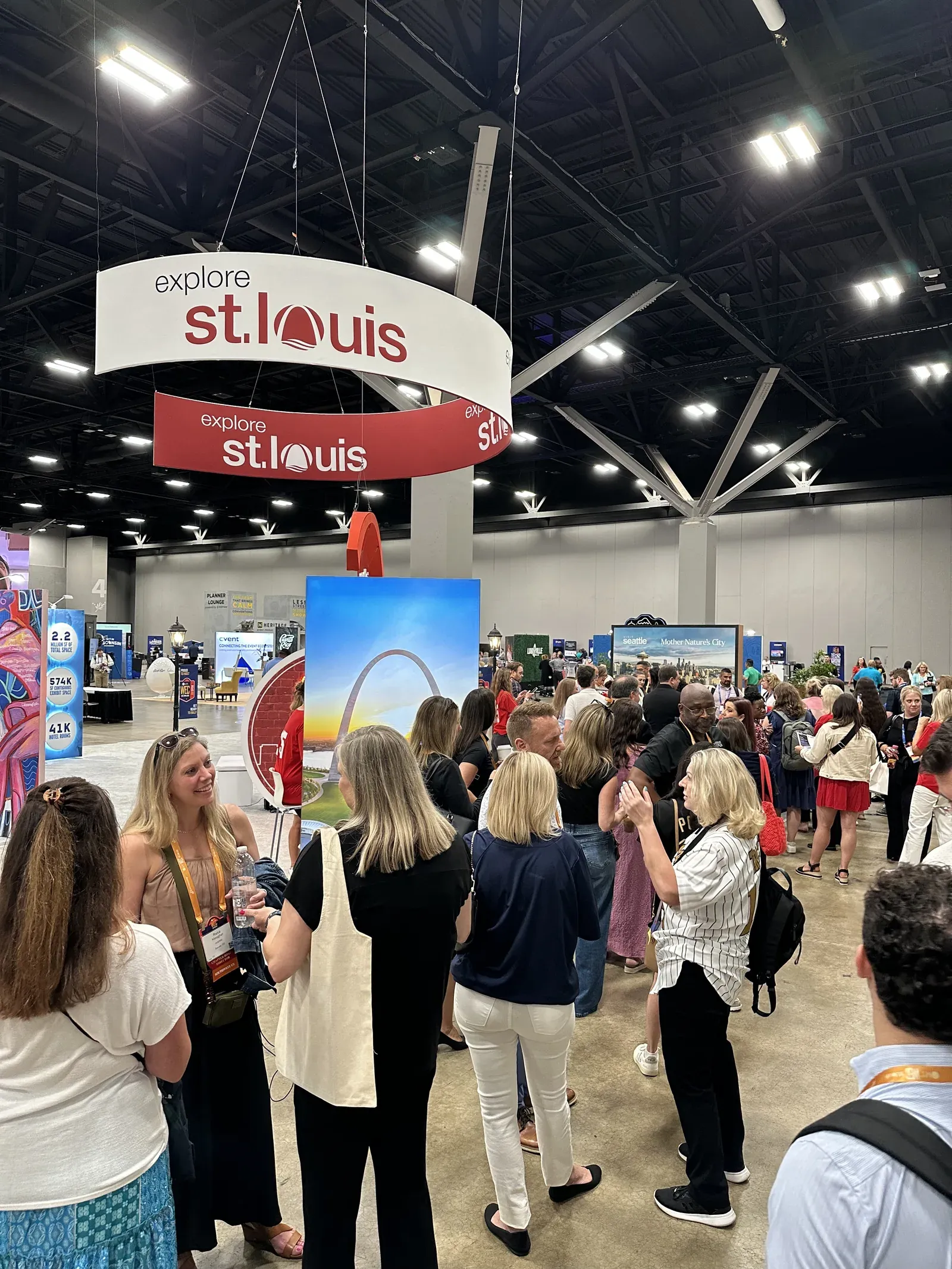
If you want the mechanics of how the queue itself works at a booth, the QR join flow, the SMS callbacks, and the dashboard view, our guide to managing trade show booth traffic covers that ground. This post is all about the team around it.
The four roles every activation needs
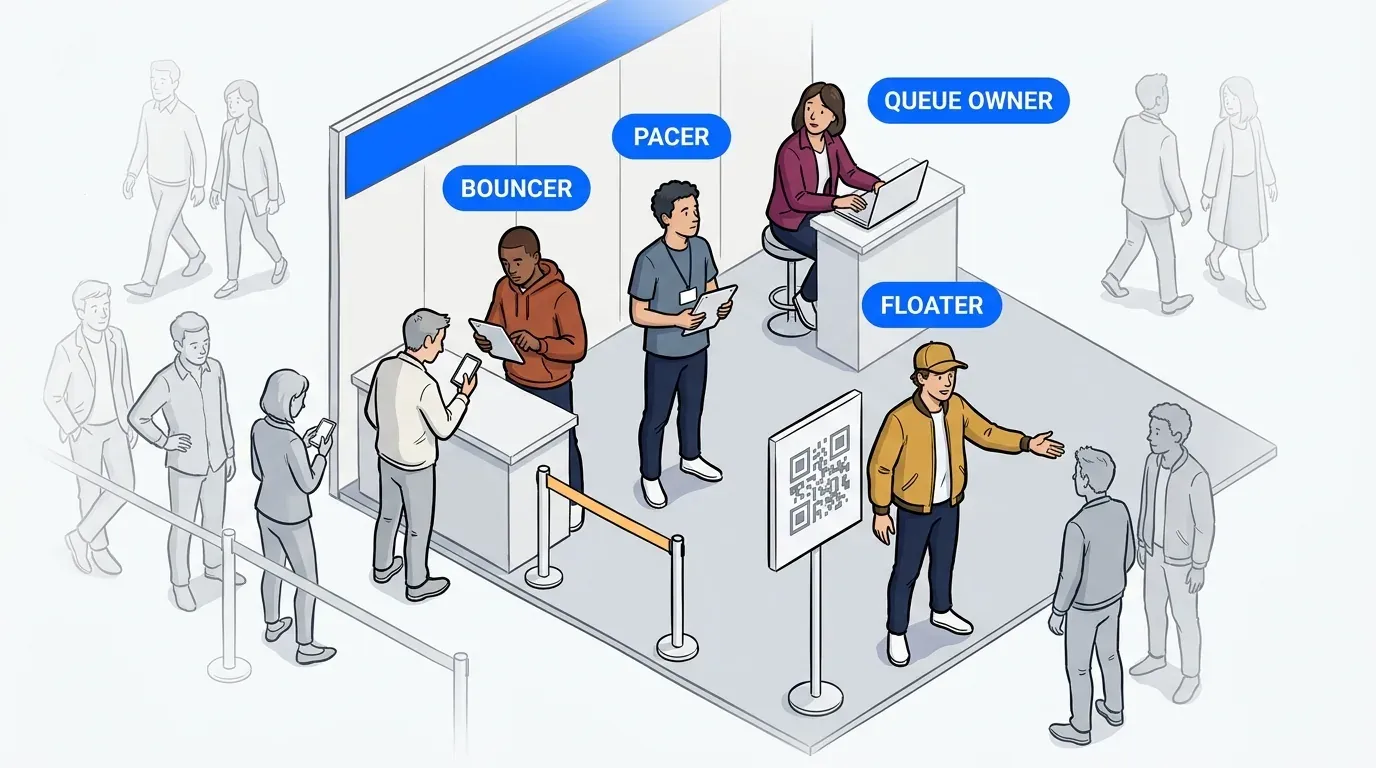
Every queue contains four jobs, whatever its size. On a small booth one or two people hold all four. On a multi-room activation each one belongs to a different person. The roles don’t disappear at small scale, they just get combined.
- Queue owner. Sets the target and owns the plan.
- Pacer. Decides when to notify the next group.
- Bouncer. Receives guests coming back and keeps the line in order.
- Floater. Directs, explains, and catches everything else.
The queue owner
The queue owner decides how long the visible line should be, when the queue opens and closes, and what the activation is optimizing for that day. That’s the dial. A managed line signals demand and draws people in, so the goal isn’t an empty floor. The goal is a line the team chose rather than one that happened to them.
This role also owns the exceptions nobody else should be making alone. Whether to pause intake when service falls behind, whether to reopen after a lull, whether today’s target was set too high. Give it to someone with the authority to make those calls without checking upward.
The pacer
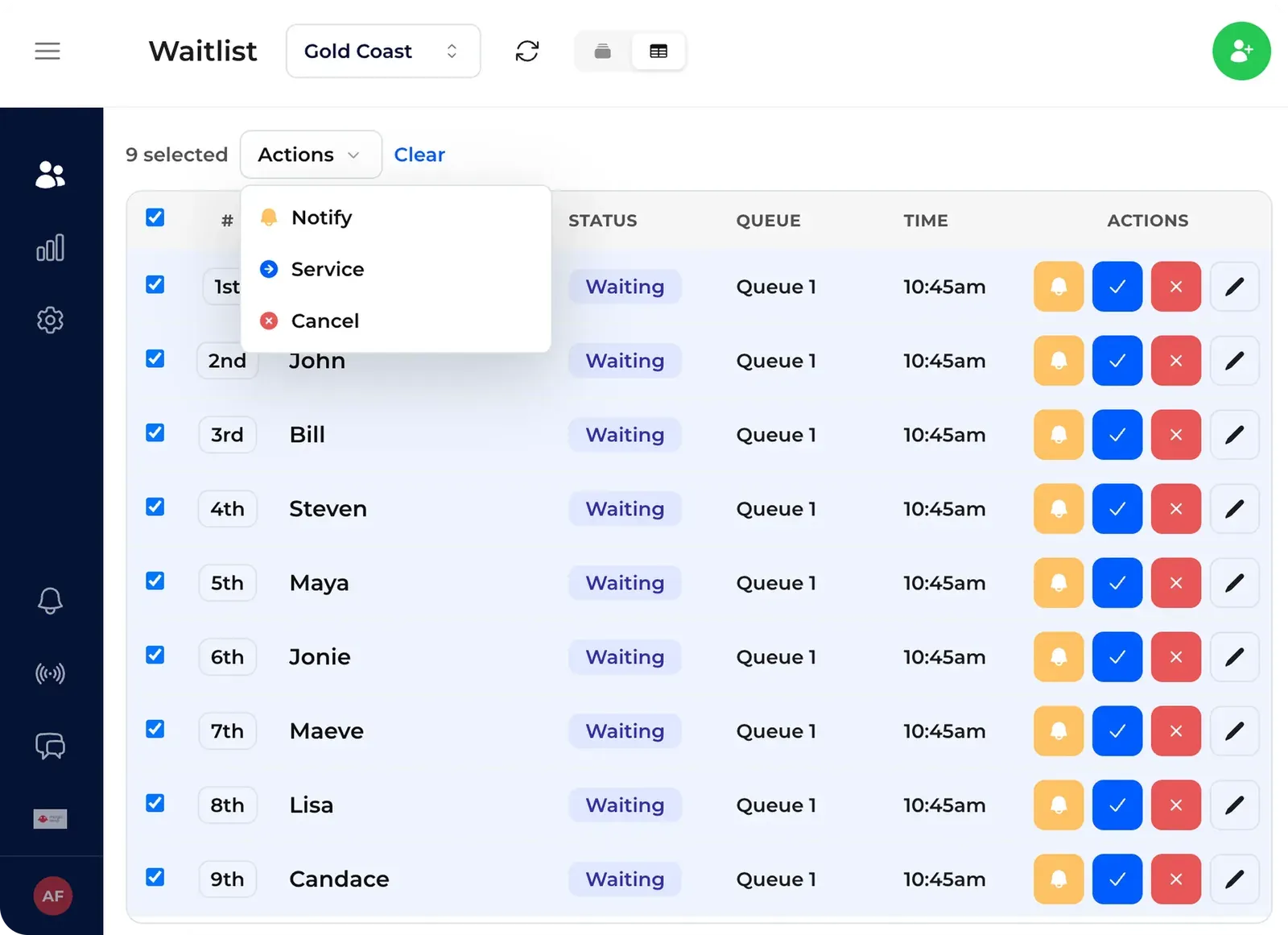
The pacer turns the line size target into a rhythm. They watch how long the physical line actually is, then decide when to notify the next group of guests to head back. Notify in waves and the line refills at a steady rate. Notify too many at once and a crowd rebuilds at the entrance, which is the thing you set the queue up to avoid. Notify too few and the service point sits idle while people wait a hundred feet away.
The instinct to correct here is pacing by the clock. Good pacers pace by the line. They’re looking at what’s in front of the booth and calling the next wave to match it, adjusting the size of each wave as traffic shifts through the day.
The bouncer
The bouncer owns the return. They greet guests coming back after a notification, find their name on the list, mark them in service, and keep the returning line orderly so it doesn’t merge with everyone else walking past.
This role picks up a second job whether you plan for it or not. The bouncer is the person standing at the front, so they become the information desk. Guests walk up and ask how to join, how long it takes, whether it’s worth it, and what happens if they miss their turn. Brief them on those answers directly, because they’ll be giving them all day.
The floater
The floater is a flex role, and the one small teams often cut first. Their main job is pointing guests at the QR code so they can check in themselves. That matters far more than it sounds. Signage is never as legible on a crowded floor as it looked in the mockup, and a floater catching people who walked past it is often the difference between a full queue and a half-empty one.
Beyond that, they answer the same handful of questions on repeat, break up clusters forming in the wrong place, spot a stray line starting next to the real one, and chase down guests who missed a callback. Without a floater, all of that lands on the bouncer or the pacer, and both of them have a job that needs their attention.
If you take one thing from this list, make it the split between the pacer and the bouncer. Those two get combined more often than any other pair, and at volume it’s the combination that breaks. The same person can’t watch the line and work the front of it.
How the roles change with the size of the activation
Everything above is about running the line. The people delivering the demo, the giveaway, or the experience itself are a separate count. For a booth expecting 1,000 to 2,000 guests a day, the line needs a minimum of 2 people and 2 tablets: one pacing, one receiving returns at the front. The queue owner watches both, and at this size that’s usually the account lead or client contact rather than a dedicated head. Treat 2 as a floor rather than a target. At the top of that range, or any time the footprint is spread out or the signage isn’t obvious, a floater stops being optional.
It changes shape when the activation splits. Funko ran two activations at San Diego Comic-Con 2026: POP! Mystery across four themed rooms, and a separate Retail exclusives line. That’s five distinct queues, relaunched every morning across four show days plus Preview Night, serving over 4,000 guests combined. Neither activation was forced into an early shutdown, which in past years had happened when crowd volume outran what security and volunteer staff could safely handle.
A distributed footprint changes it again. At Informa Connect’s Connect Marketplace, Visit Anaheim ran a hosted buyer gifting suite with Cultivate across more than 20 kiosks, serving over 900 hosted buyers with 84% net retention. That was a coordination problem before it was a technology one. With the whole queue in a single view, staff kept the kiosks flowing and stayed on the gifting itself instead of managing a crowd at the entrance.
Assign the roles before show day, not on it
Staffing is the one thing you can genuinely flex during a rush. You can move a person from one station to another. What you can’t do is invent a role at 11 in the morning and expect someone to step into it cleanly while 60 people wait.
That’s why NextMe always sends out an onboarding survey for our event customers before anything gets configured. It works through throughput math, what the activation is actually optimizing for, and what style of line fits those goals. Those answers determine the roles, not the other way around. We also offer a virtual dry run to every event customer, so the team walks the flow once with the account live before they do it in front of guests.
If you’re curious about the most common mistakes when this planning gets skipped, our post on product launch queue management walks through 5 of them.
Where the roles show up in your post-event data
Every role leaves a trace in the numbers, which makes the debrief more useful than a general sense of how the day felt.
Retention tells you whether the queue owner set the right target. A high drop-off rate usually means the line got longer than guests were willing to wait. No-show rates on callbacks point at the pacer’s rhythm, since guests who don’t come back were often called in a wave that was too big or given a window that was too tight. The gap between guests who joined and guests who walked past tells you about the floater and the signage around them.
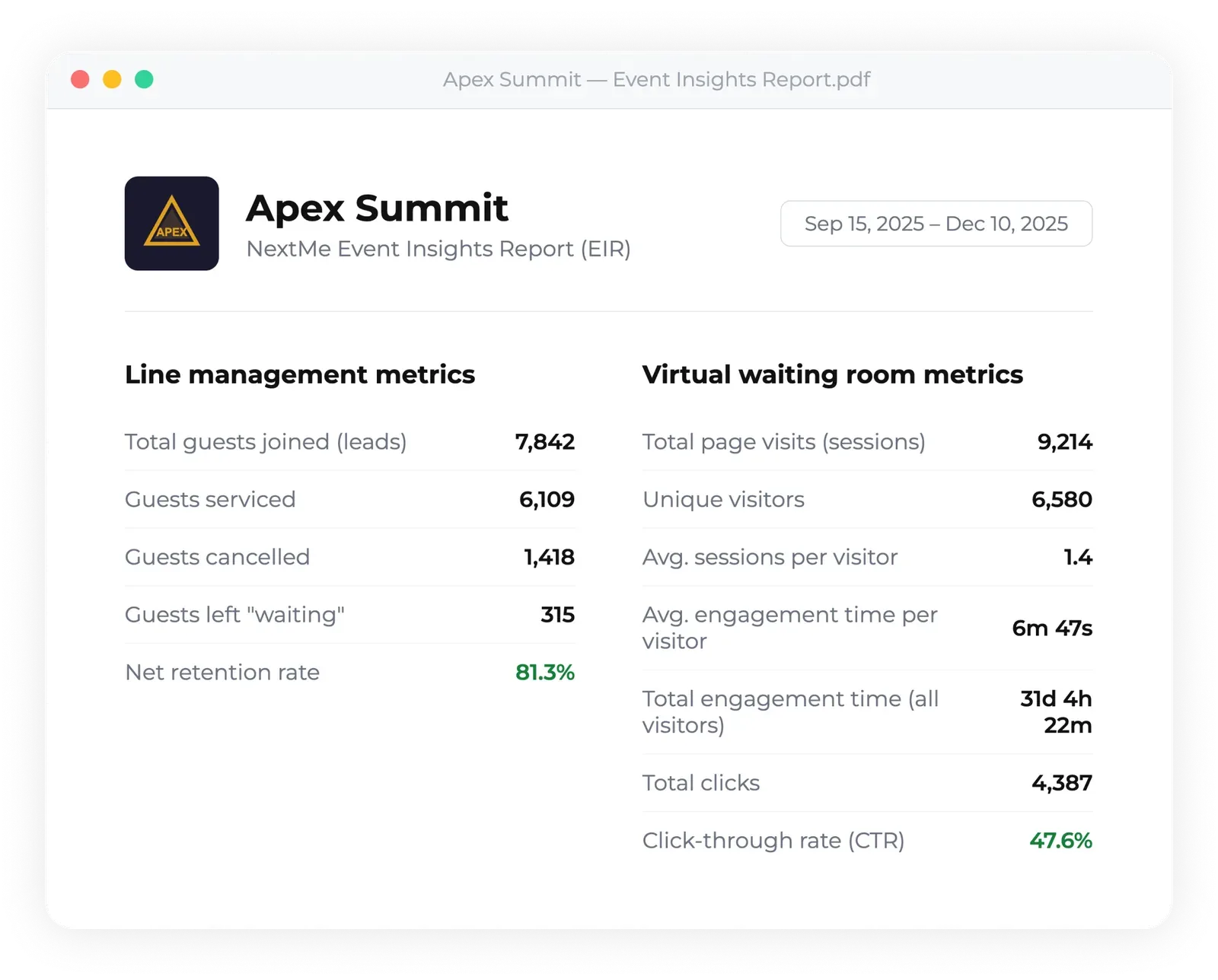
Pull that from analytics after the show and you’ve got a staffing plan for the next one based on what happened rather than what you remember. For organizers looking across a whole floor rather than a single booth, reducing event wait times across a venue covers the aggregate view.
Give the line a team, not just a tool
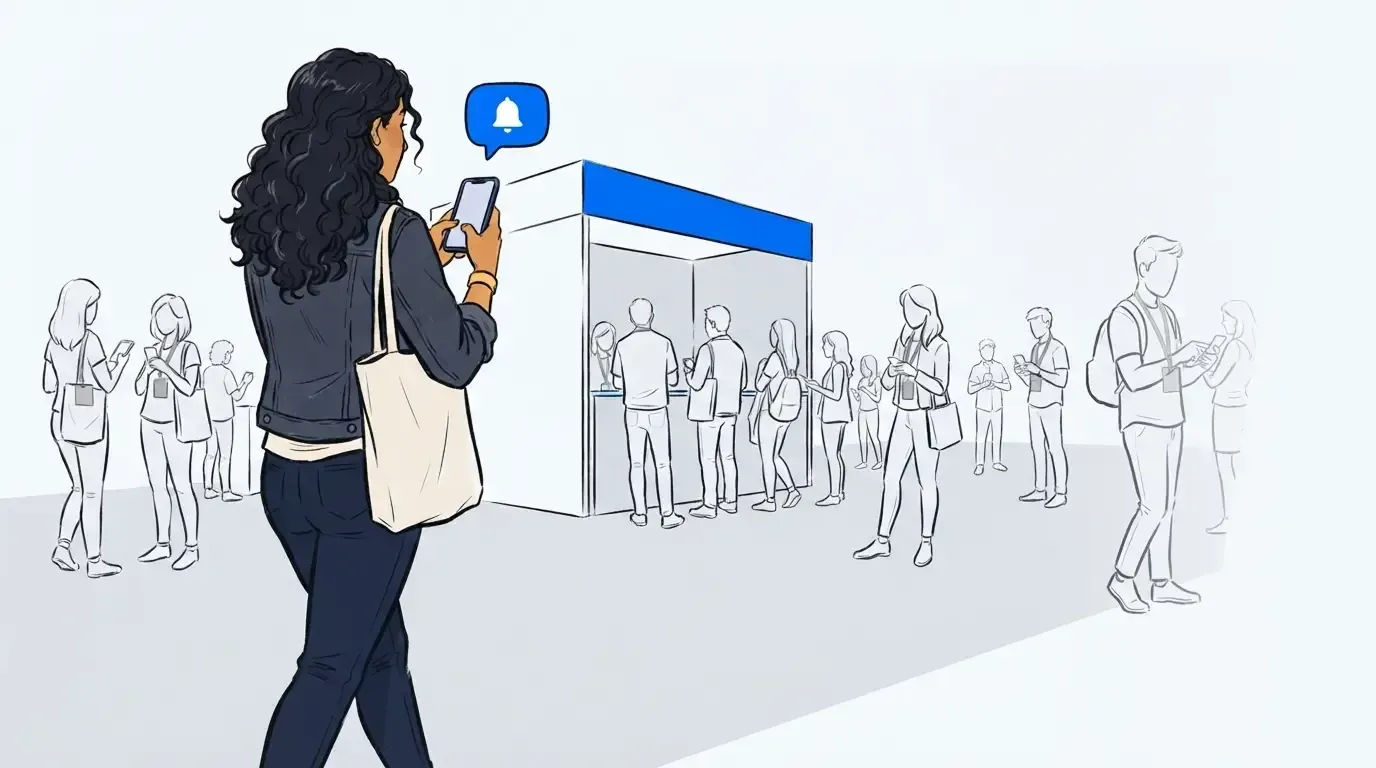
Trade show crowd management works when the technology and the team are designed together. A virtual queue is good at the things software is good at: tracking position, sending notifications, capturing every person who joins. It has no opinion about how long your line should be, and it can’t tell the difference between a guest waiting patiently and one about to walk.
That judgment belongs to people, and it works best when you’ve decided in advance which people. Name the four roles before you print the signage. See how NextMe supports queue management for events from planning through the post-event report.