Waitlist Management
A waitlist management system that can be trained in minutes
Streamline your customer flow and manage your waiting guests in one clean interface. Easily intake and triage new customers with the click of a button. Configure your queues to fit your unique workflow and give your guests the transparent and delightful waiting experience they deserve.

Your customer flow, reimagined
Our waitlist is designed to work for any team with a wait. It’s lightweight, powerful, and easy to get started. Spend less time training your staff and start delivering a better customer experience in a matter of minutes.
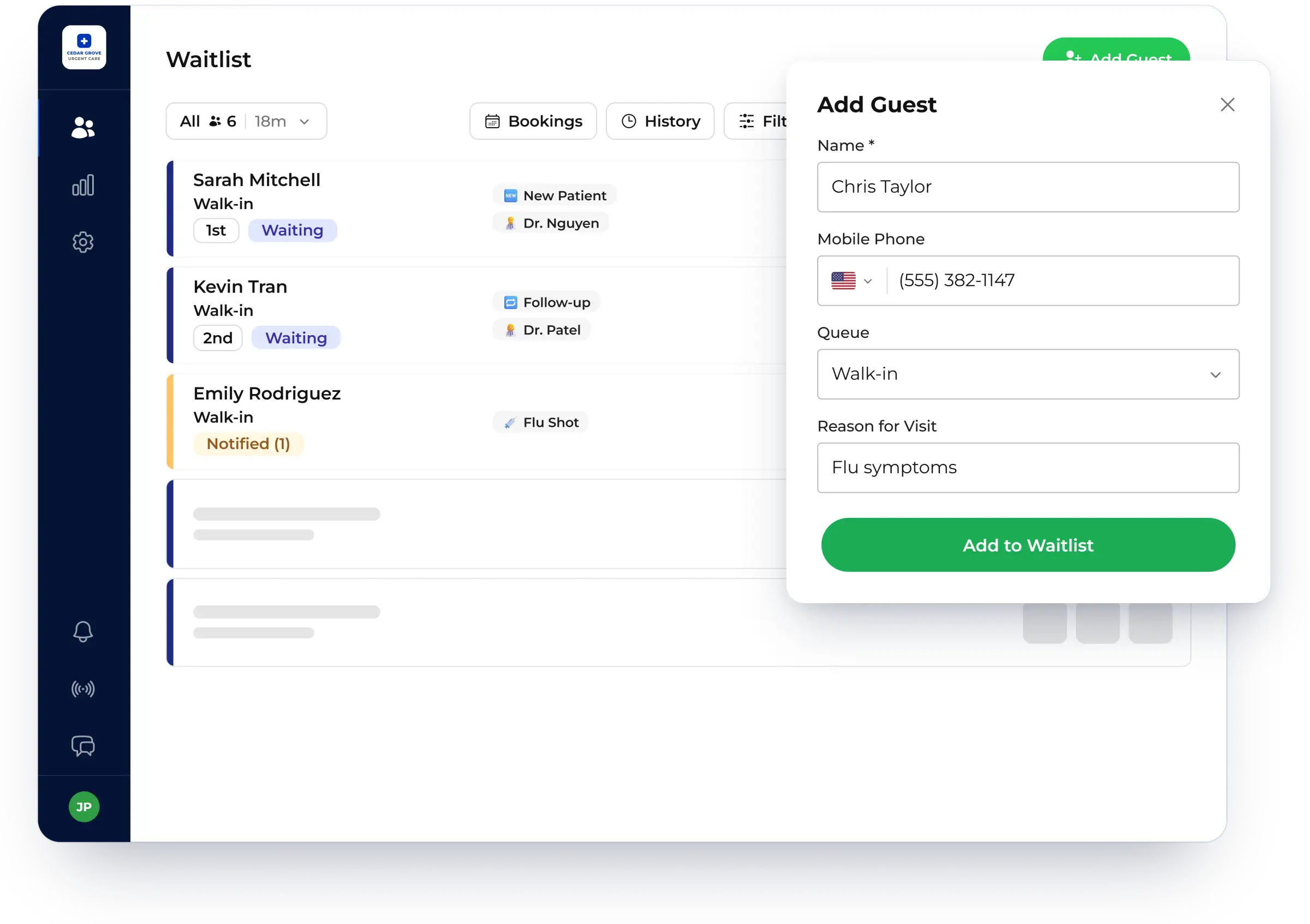
Intake guests
- Customize your intake fields to capture the data that matters most to your business
- Recognize repeat guests and auto-populate their previous info
- Quote accurate wait times with our predictive wait time technology
- Allow guests to join the wait themselves using Self Check-in
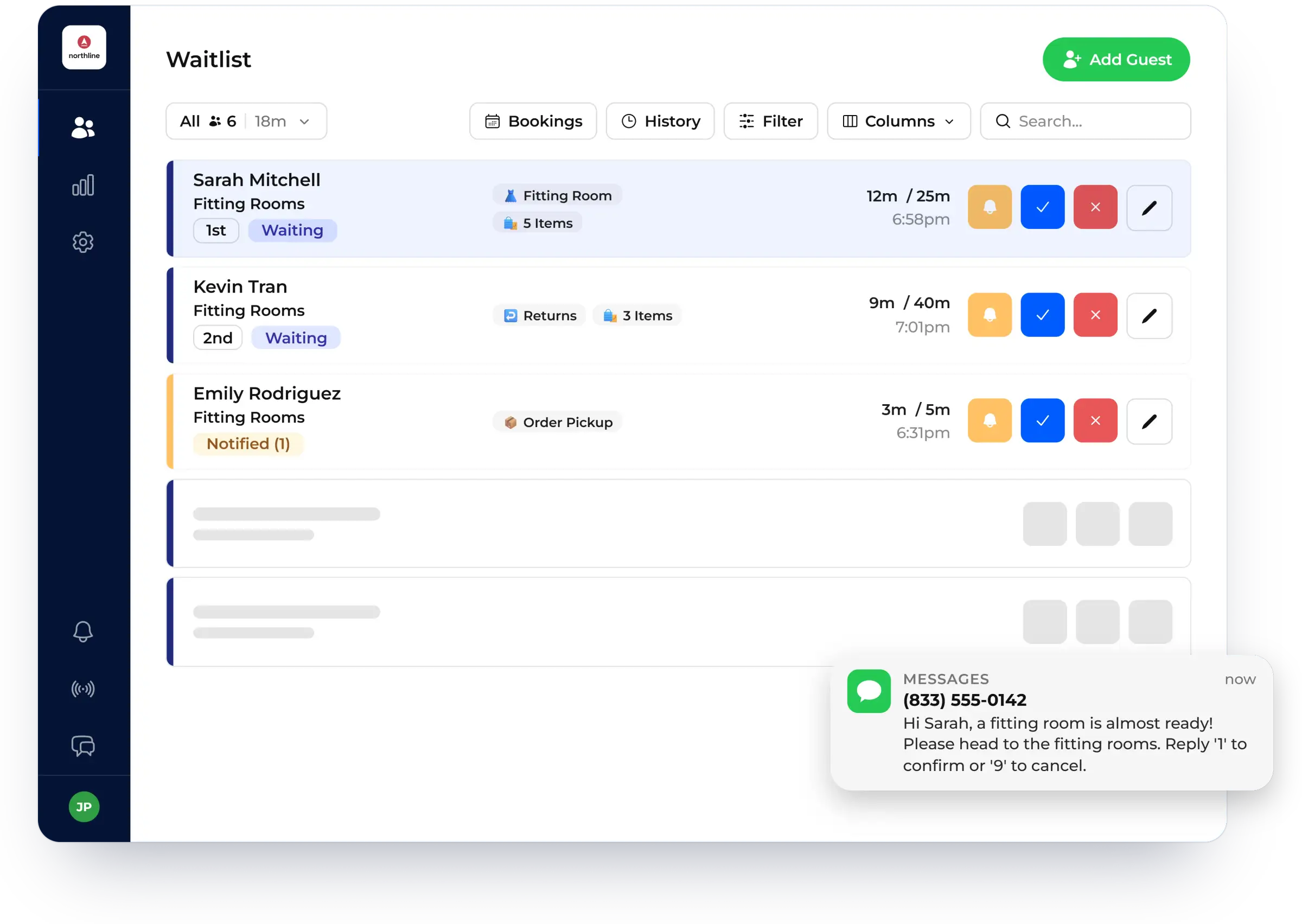
Communicate & monitor
- Track and update guest statuses in one clean layout
- Engage with guests while they wait with your fully branded Virtual Waiting Room
- Customize your SMS text notifications and notify guests with the click of a button
- Allow guests to cancel or confirm with two-way SMS communication
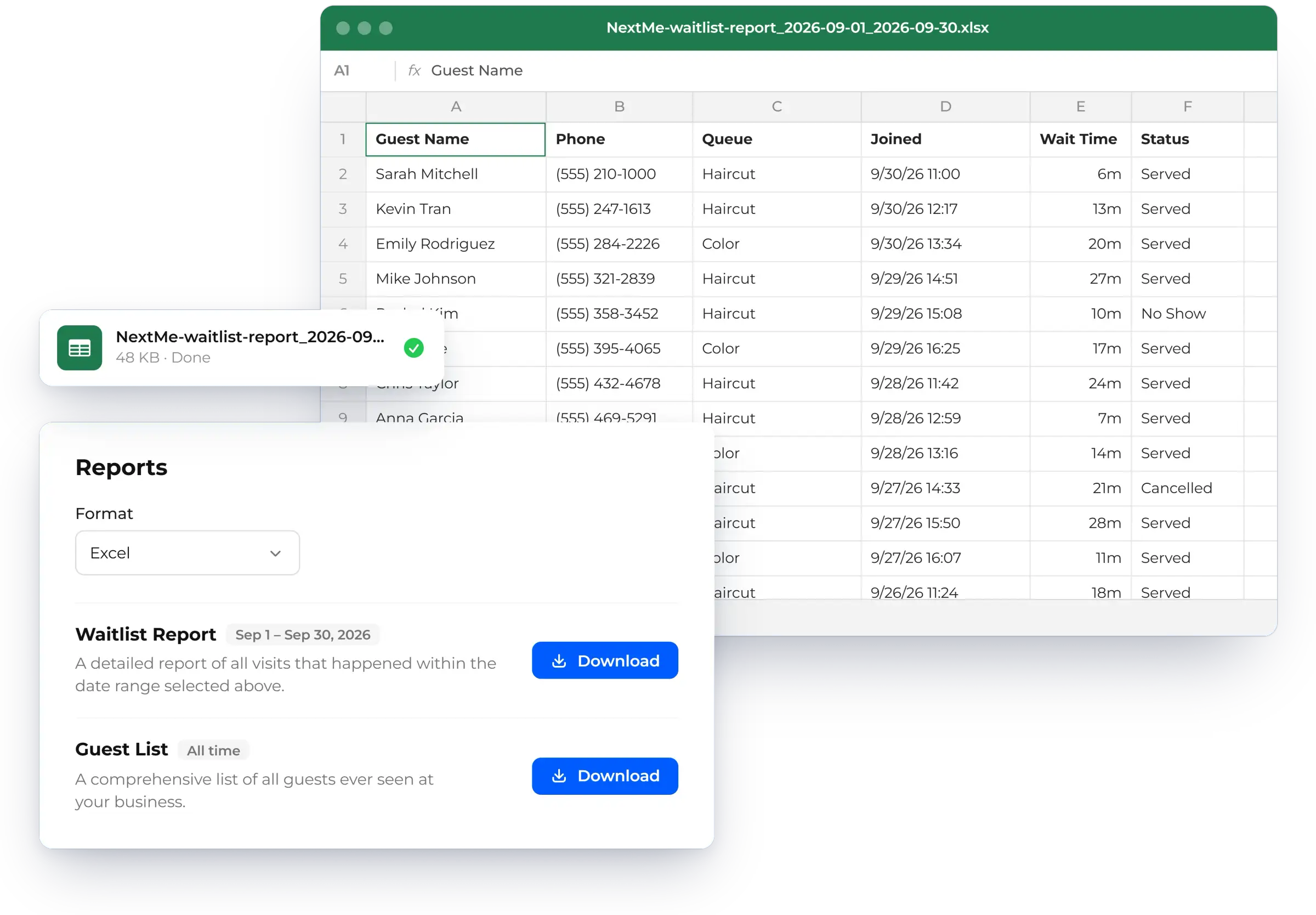
Complete & repeat
- Send follow-up messages and surveys
- Select from simple privacy controls to anonymize or delete sensitive data
- Export your guest list to reward loyalty and reengage with customers
- Identify trends and growth opportunities with our powerful Analytics tooling


What teams see after switching to NextMe
- average cost savings over traditional waitlist solutions
- 32%
- faster guest intake compared to the competition
- 2x
- average increase in customer retention
- 30%
- average increase in positive online reviews
- 17%
Unclear wait times are a top reason guests give up and leave. When guests can see their place in line and trust that someone is managing the wait, fewer of them walk away.

Built for any team with a wait

Compatible with any device
NextMe works on any device, so there’s no new hardware to buy. Use the computers, tablets and phones you already have, and track customers in real time from anywhere with multi-device syncing.

Built to scale alongside you
Whether you’re a small, single location business or a globally recognized brand, NextMe is flexible enough to accommodate the full spectrum of waitlist needs. As you scale, you can create new waitlists within the same account and invite additional team members to help you manage them. These enterprise-friendly features mean you can spend less time worrying about scalability and more time growing your business.
Case studies
All case studies
Restaurants
How NextMe Helped the 3rd Fastest-Growing Full-Service Restaurant Chain Scale Without Sacrificing the Guest Experience
Learn how NextMe helped the 3rd fastest growing full-service restaurant chain in the U.S. save $100K on outdated technology.

Veterinary
How Ally Urgent Veterinary Care Streamlined Client Flow and Boosted Reviews with NextMe
Ally Urgent Veterinary Care, located in Virginia Beach, VA, is a bustling veterinary clinic renowned for its high-quality care and prompt service.

Events
NextMe Powers Evereden’s Express Pop-Up at The Grove with a Branded Skincare Experience
Evereden used NextMe to manage hundreds of guests at their Grove pop-up, pairing a digital queue with a branded quiz that turned wait time into engagement.
“NextMe has transformed our operations - seamlessly managing client check-ins and wait times!”

Frequently asked questions

What is waitlist management software?
Waitlist management software lets you add guests to a digital line, track their status, and notify them by text when it's their turn. Guests wait wherever they like instead of crowding your entrance. Your staff runs the whole line from one screen.
How long does it take to train our staff?
Not long. NextMe is lightweight and easy to learn, so your team can be trained in minutes. Most teams are live the same day.
Do guests need to download an app?
No. Guests join with a QR code, a text link, or a web link, and get their updates by SMS. There is no app to install.
Can guests add themselves to the waitlist?
Yes. With self check-in, guests join the wait on their own from your website, a QR code, or a kiosk. Staff can still add guests manually whenever they need to.
Do we need to buy new hardware?
No. NextMe works on the phones, tablets, and computers your team already has. Multi-device syncing keeps every screen up to date in real time.
Can we run more than one waitlist?
Yes. You can create new waitlists within the same account and invite team members to help manage them. That works for a single location and for a business with many.
Ready to give your customers a better way to wait?
Try NextMe free for 14 days or book a demo with one of our onboarding specialists.