Bookings
Bookings give you the power to manage appointments alongside walk-ins
Struggling to manage appointments and walk-ins simultaneously? Our intuitive appointment scheduling feature is designed to help teams streamline their booking process in one clean, easy-to-use interface. Whether you run a busy salon, medical practice, or any service-based business, this all-in-one solution simplifies your workflow, saves you time, and ensures a smooth experience for both your staff and customers.

How bookings work
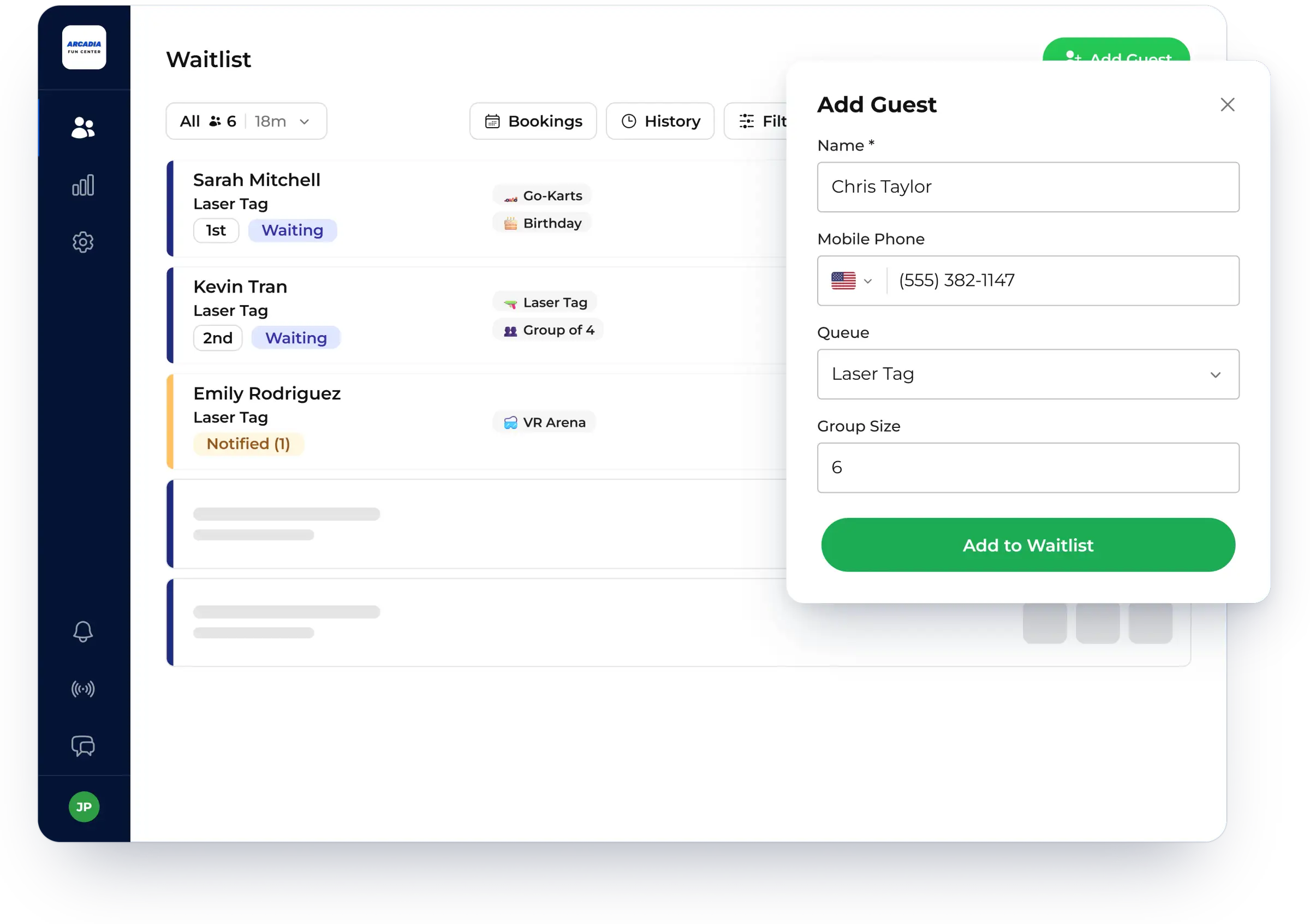
Schedule customers in advance with ease
Say goodbye to juggling multiple systems. Our solution allows you to schedule appointments for guests with ease. It’s as easy as adding your guest information as usual and setting an appointment date and time in the future. From there, your guests will receive automatic notifications when their appointment is booked and a reminder when their time is approaching.
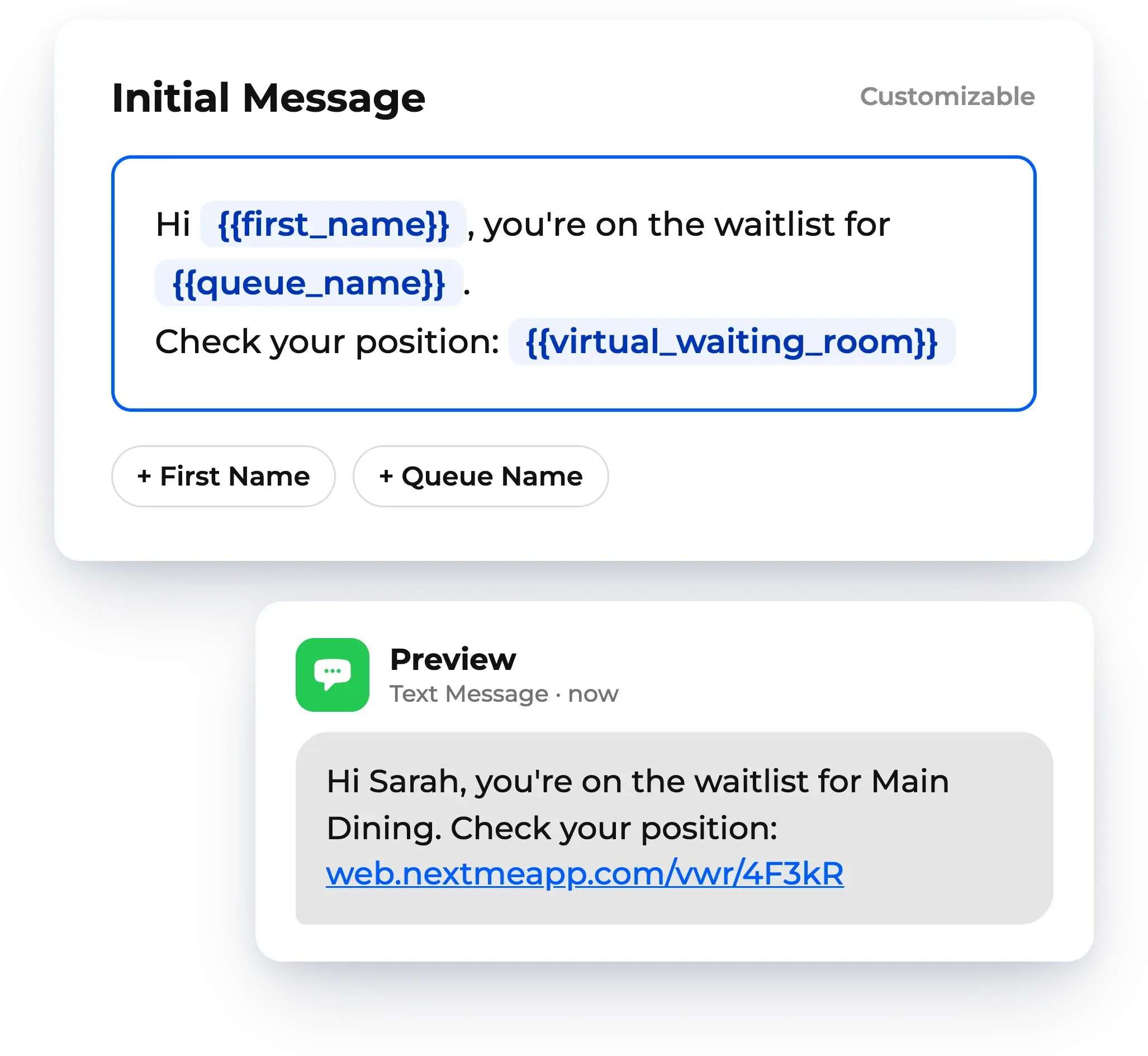
Customize your appointment notifications
You’re in control of the messages you send. By default, newly scheduled guests will get an appointment confirmation text message with the details of their booking and a reminder message three hours prior to their appointment time. You can edit these freely to include other information that may be relevant to your business and workflow. Your notifications, your rules!
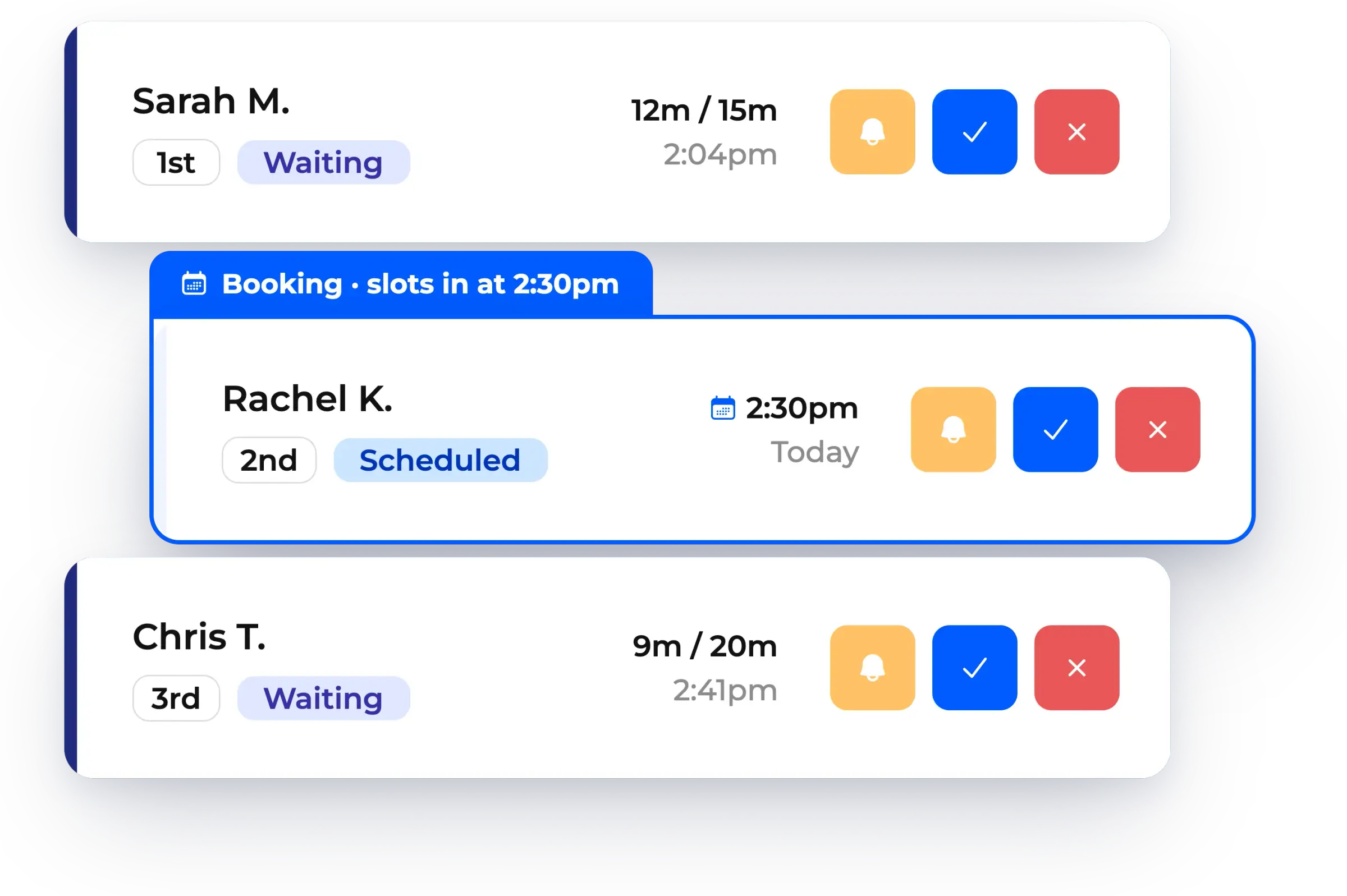
Manage your appointments alongside walk-ins
Like magic, bookings will seamlessly slot into your waitlist between walk-ins based on the guest’s scheduled appointment time. Use the bookings button at the top of the waitlist to quickly reference all your future appointments and easily filter by the date ranges that matter to you. Save time and effort with this unified approach to waitlist management and appointment scheduling.


One place for every guest, booked or walk-in

Let walk-ins check themselves in
Walk-ins can join the waitlist on their own with self check-in, from your website, a QR code, or a kiosk. Your staff spends less time typing in names at the front desk.

Run separate queues
Manage multiple queues for different staff, services, or counters under one account. Every guest lands in the right line, whether they booked ahead or walked in.

Work from any device
NextMe runs on the phones, tablets, and computers your team already has, with real-time syncing across every screen. There is no hardware to buy or install.
Frequently asked questions

What is appointment scheduling in NextMe?
Bookings let you schedule guests for a future date and time, right from your waitlist. You add the guest as usual and set an appointment time. NextMe then manages that appointment alongside your walk-ins in one place.
How do appointments fit in with walk-ins?
Bookings slot into your waitlist between walk-ins based on each guest's scheduled time. Use the bookings button at the top of the waitlist to see all your future appointments and filter by date range.
Do guests get appointment reminders?
Yes. By default, guests get a confirmation text when their appointment is booked and a reminder three hours before it. You can edit both messages to include whatever your business needs.
What kinds of teams use bookings?
Any service-based team that sees both appointments and walk-ins. Salons, medical practices, campus advising offices, and government service counters all use NextMe to balance the two.
Do we need separate scheduling software?
No. Bookings are part of NextMe, so you schedule appointments and manage your waitlist in one interface instead of juggling multiple systems.
Ready to get started with bookings?
Try NextMe free for 14 days or book a demo with one of our onboarding specialists.