Cvent Integration
NextMe + Cvent: turn your event queue into Cvent data
NextMe runs your on-site queues and syncs every check-in to Cvent in real time, so the attendee details and validated mobile numbers you capture at the booth land in Cvent automatically, consented and ready for follow-up. No hardware, and you can go live the same day.
NextMe is on the Cvent App Marketplace
Trusted by event teams like




What the NextMe + Cvent integration does
As attendees join your NextMe queue, the details they enter flow into Cvent in real time. Your waitlist becomes a contactable list in Cvent before the event is over, with nothing to export and nothing to clean up afterwards.
Real-time sync to Cvent
The moment an attendee joins the queue, their details post to Cvent. No manual export, no post-event spreadsheet.
Validated mobile numbers
Every attendee enters a mobile number to join, and it’s checked before it’s stored. An invalid number gets fixed on the spot, so the numbers in Cvent are real and deliverable.
You choose where the data goes
Map your NextMe fields to your Cvent fields once. Then attach the data to a specific Cvent event and admission ticket, or enrich your Cvent contacts generally.
Consent captured at check-in
Your check-in form collects the attendee’s consent to be messaged by SMS and WhatsApp, in wording you control, so the contacts you add to Cvent are ones you can follow up with.
First-party data
Attendees enter their own details at the moment they engage with you, so everything reaching Cvent is first-party data, not scraped or inferred.
One direction, by design
Registration stays in Cvent. NextMe runs the on-site queue and sends what it captures to Cvent, so there’s one record of each attendee.
What your attendees experience
-
They hold their spot without standing in it. Attendees visit other exhibitors, catch a session or grab a coffee instead of crowding your booth or the session door.
-
They follow a live wait page. A text links to a web page, with no app, that shows their position and estimated wait, plus an optional countdown when it’s their turn. Attendees can choose WhatsApp instead of SMS.
-
The wait page is yours. Add your branding, images, links, social channels and video, games or polls, and use the wait to promote a sponsor or a session.
-
They come back ready to engage. The time they spend with you is engagement, not waiting.

What your event team gets
-
Notify attendees in bulk. Select up to 100 waiting attendees and notify them in one action when a session lets out or a demo frees up.
-
Easy for staff you met that morning. A simple dashboard on any phone, tablet or computer means volunteers and booth staff can run a busy queue without training or headsets.
-
One view of every queue. Run unlimited queues, one per booth, session or zone, from a single dashboard that updates as attendees join and are served.
-
Proof of results. Analytics show visits, wait times and no-shows for the event and for each queue, and an Event Insights Report sums up the run for your stakeholders and sponsors.

Built for how conferences run
From a single booth to a multi-track conference, each queue feeds attendee data into Cvent as it happens.
Exhibitor and sponsor booth demos
Attendees scan to join a booth’s queue and keep exploring the floor instead of blocking the aisle. Every join is captured in Cvent, so exhibitors leave with a list they can follow up with.
Limited-capacity sessions and workshops
When demand outstrips seats, a virtual queue handles the overflow, notifies attendees when seats open, and records who wanted in for next year’s planning.
Sponsor activations and headshot lounges
Popular extras run on a virtual queue, so attendees see the rest of the event while they wait, on a wait page that can carry a sponsor’s message, video or offer.
VIP, speaker and hospitality zones
Manage access to lounges, green rooms or hospitality suites with a dedicated queue, controlling capacity without visible gatekeeping.
How to set it up
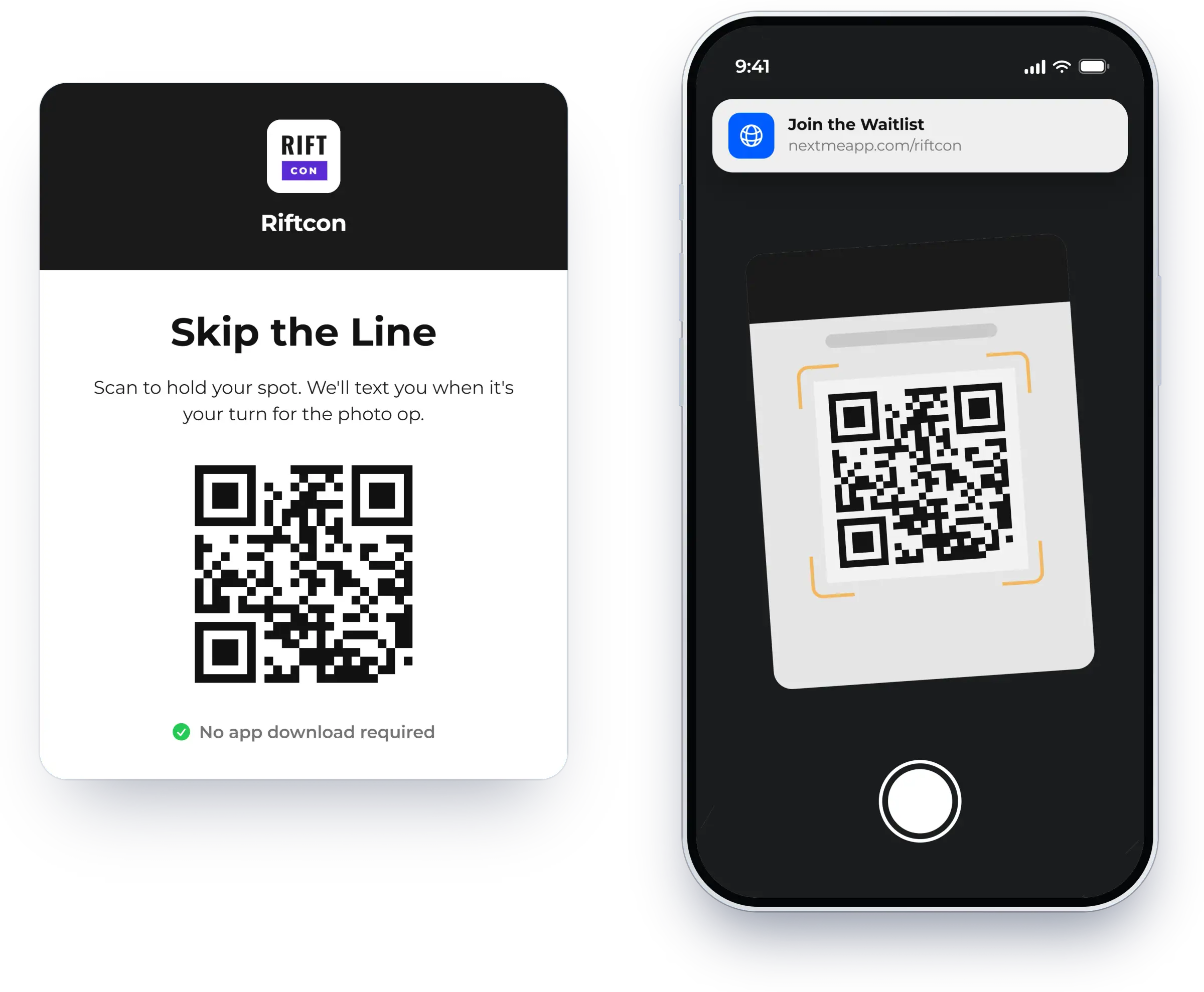
Set up your event
Create your queues, customize the check-in form with your fields, branding and consent wording, choose how attendees are notified, and brand your virtual waiting room. It’s all self-serve.
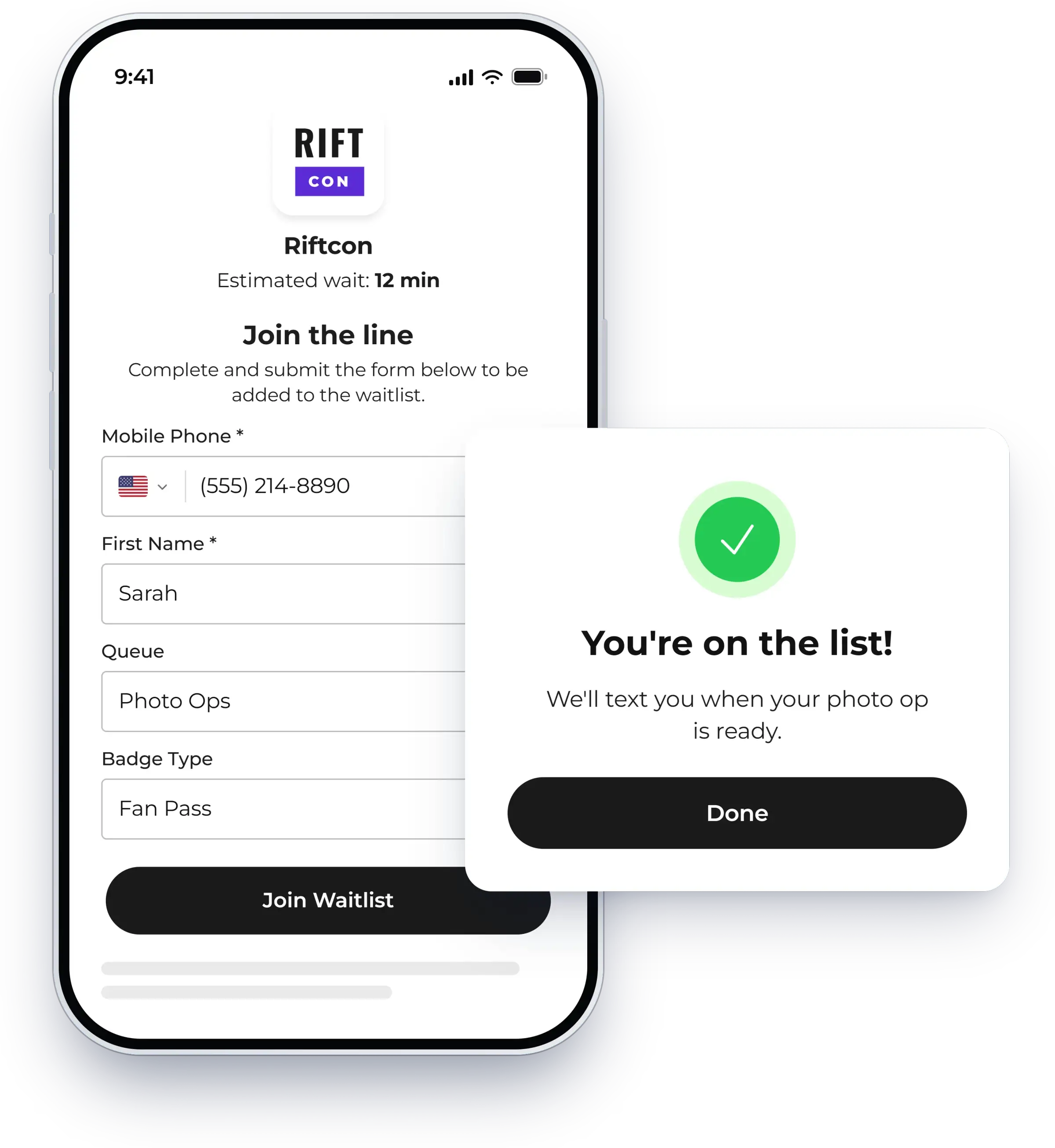
Connect Cvent
Connect your Cvent account, map your NextMe fields to your Cvent fields once, and choose a specific Cvent event and admission ticket or general contact enrichment.
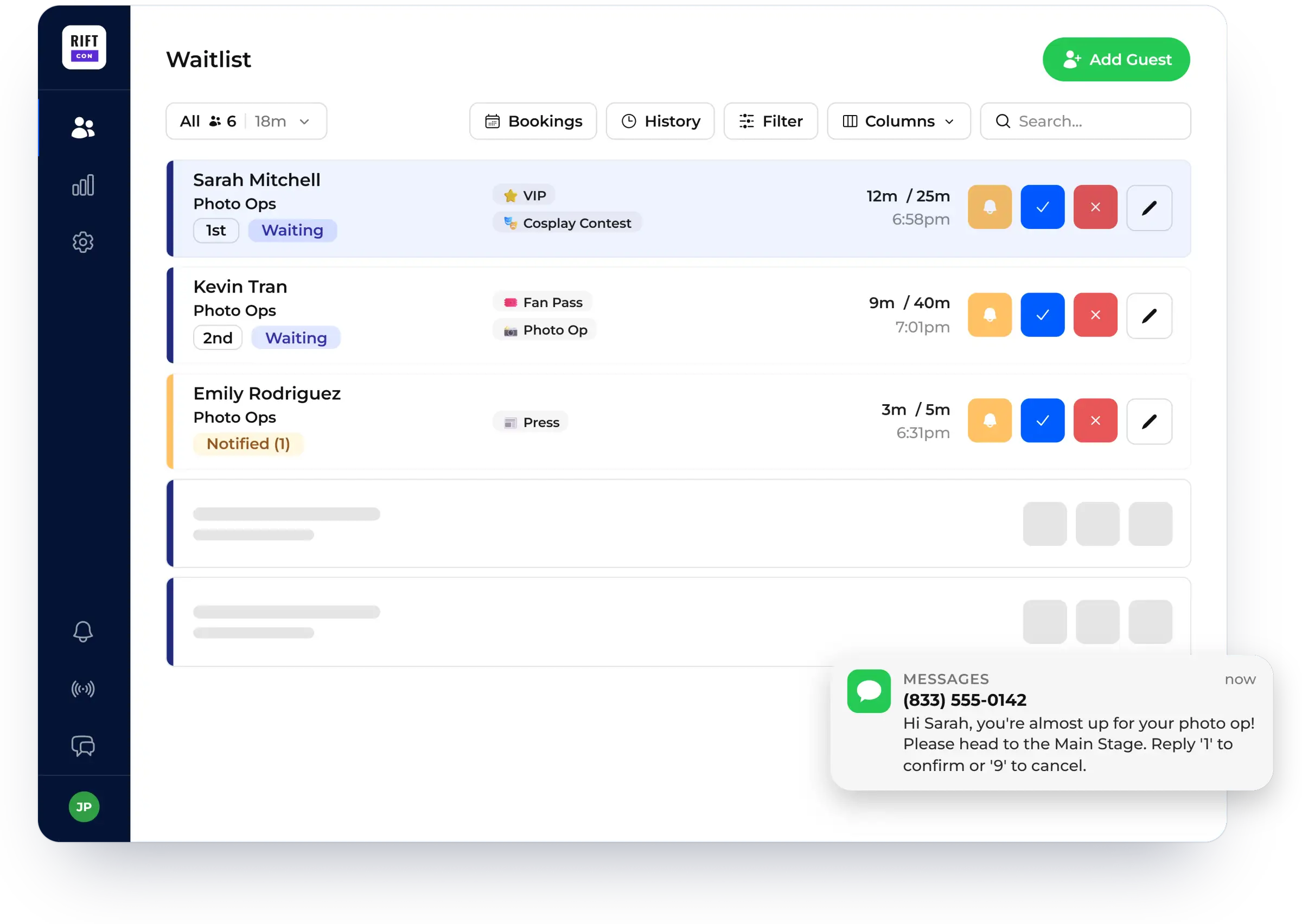
Go live
Print and place your QR codes, and start your queue. Attendee data syncs to Cvent as people join. For larger events, our team can handle onboarding and support you on site.


Keep exploring
Event queue management
How NextMe runs queues for conferences, trade shows and brand activations.
Connecting registration to the floor
Why on-site check-in data belongs in Cvent, and how the integration gets it there.
Event case studies
All event case studies
Events
How NextMe Helped Chuck Fazio Manage Long Lines and Boost Engagement at Cvent CONNECT 2025
Learn how NextMe helped Chuck Fazio turn one of the busiest booths at Cvent CONNECT 2025 into a seamless, high-impact experience.

Events
How NextMe’s Modern Virtual Waiting Room Helped South by Southwest XR Exhibitors Retain 32% More Attendees
Learn how South by Southwest event organizers used NextMe’s waitlist and virtual waiting room to streamline attendee flow to their exhibits.

Events
NCompass International Enhances Guest Experience & Brand Engagement with NextMe’s Virtual Waitlist
Learn how NextMe helped NCompass International deliver a frictionless event experience at Adult Swim Festival with a virtual waitlist.
Frequently asked questions

Does NextMe integrate with Cvent?
Yes. NextMe Line Management for Cvent is listed on the Cvent App Marketplace. You connect your Cvent account to NextMe, map your NextMe fields to your Cvent fields once, and attendee details sync to Cvent in real time as people join your queue.
What data syncs, and in which direction?
Attendee data flows from NextMe into Cvent. When an attendee joins your queue, the details they entered post to Cvent automatically, with no manual export. Registration stays in Cvent; NextMe runs the on-site queue and sends the attendee data it captures to Cvent.
Can I attach the data to a specific Cvent event?
Yes. After mapping your fields, choose whether to attach the data to a specific Cvent event and admission ticket, or to enrich your Cvent contacts generally.
Are the mobile numbers valid and consented for SMS and WhatsApp?
Every mobile number is checked at check-in before it's stored, and attendees are asked to fix an invalid one on the spot, so the numbers that reach Cvent are real and deliverable. Your check-in form also captures the attendee's consent to be messaged, with wording you can customize.
Do attendees need an app?
No. Attendees scan a QR code and join in their phone's browser. They get a text with a link to a live wait page that shows their position and estimated wait, and they can choose WhatsApp instead of SMS.
Can I notify many attendees at once?
Yes. Select up to 100 waiting attendees on the waitlist table and notify them in one action, so your team can clear a surge when a session lets out or a demo frees up.
How do I set it up?
Set up your queues, check-in form, notifications and waiting room yourself, connect your Cvent account, map your fields, and print your QR codes. There's no hardware, and most teams go live the same day. For larger events, our team can handle onboarding and support you on site.
Ready to turn your next conference queue into Cvent data?
Book a demo to see the Cvent integration, or try NextMe free for 14 days.