You can keep a short line. You just can’t let it swallow the event. That shift is driving most event queue management trends right now, and frankly, it’s overdue.
Attendees don’t expect zero waiting. They expect clarity, mobility, and a fair shot at getting their turn without wasting 45 minutes in one spot. That’s why more organizers are moving away from the old all-physical model and toward hybrid queue systems that keep some visible demand while moving overflow into a virtual wait.
Key Takeaways:
- Event queue management trends are moving toward hybrid models, not all-or-nothing virtual systems.
- A visible line can still create demand but once it starts blocking space or frustrating guests, it becomes a problem.
- The best event queue setups keep guests informed with mobile updates and a clear return point.
- If your activation expects bursts of arrivals, QR code or kiosk self check-in should be in place before doors open.
- Virtual waiting works better at live events when it includes branded engagement, not just a place in line.
- Operators need post-event reporting, because if you can’t measure throughput and wait behavior, you can’t improve the next event.
- If you want to see how a hybrid event queue can work in practice, you can book a demo.
Why event queue management trends are shifting away from full physical lines
Event queue management trends are shifting because fully physical lines create friction once demand outgrows the space. A visible line can help signal excitement, but an oversized line creates uncertainty, crowding, and lost engagement. For live events, the better model is controlled visibility up front and virtual overflow once the line stops helping.
The old line problem is really a control problem
Most organizers think the issue is the line itself. It isn’t. The issue is losing control of what the line is doing to the experience.
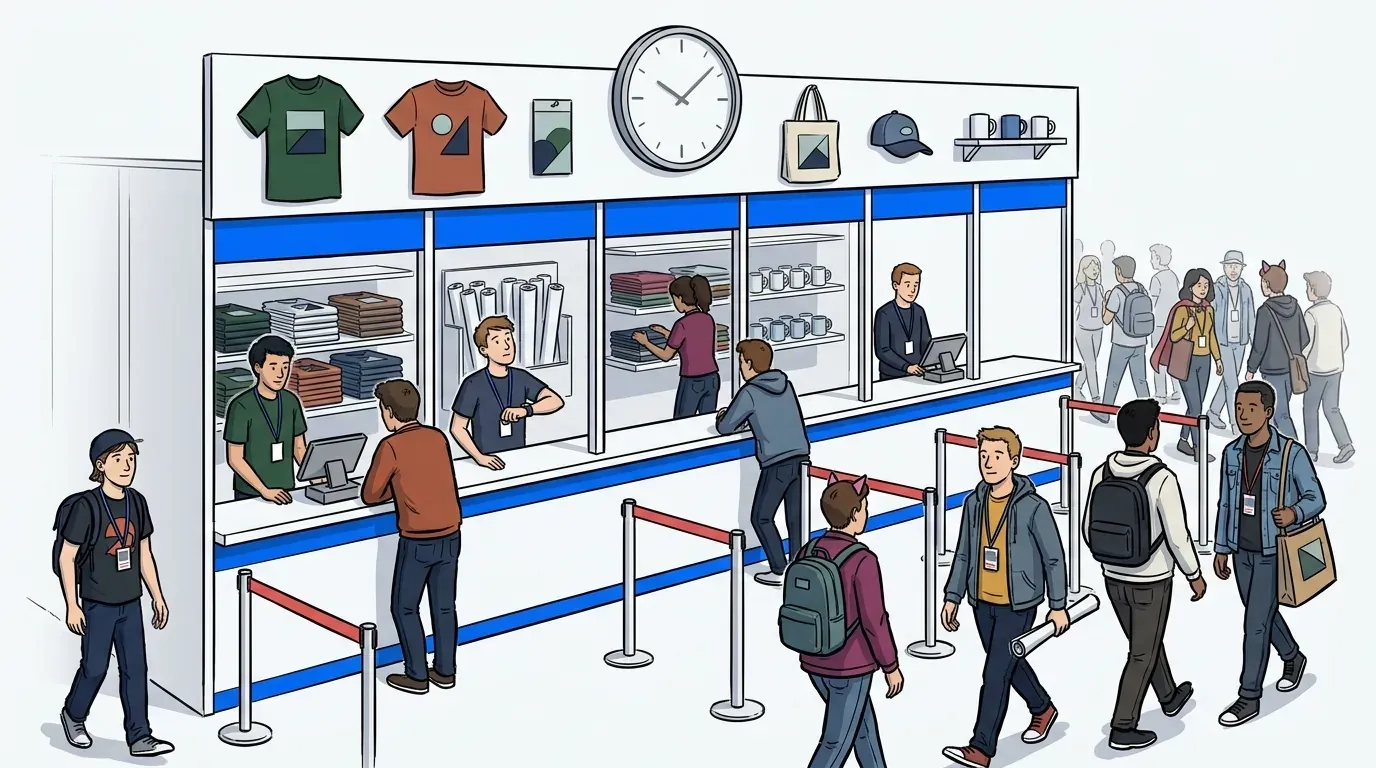
Picture a brand activation at 11:15 a.m. The booth opens strong, people gather fast, and within 20 minutes the queue has bent around a corner and spilled into the aisle. Staff are now doing crowd control instead of running the experience. Guests at the back have no idea whether the wait is 10 minutes or an hour. Sound familiar?
That scenario shows up again and again because the old setup assumes every guest should stand in the same place the whole time. That works when traffic is light. It breaks when attention spikes. For events, a simple rule makes a big difference: if the line starts consuming event space faster than you can serve guests, part of that line should move virtual.
A line can create demand, until it starts scaring people away
This is where a lot of teams get stuck. They know a visible line can create curiosity and demand. They are right. A totally empty front area can make an activation feel flat, especially at trade shows, fan events, and branded pop-ups.
But there is a cutoff point. Roughly 10 people in line creates energy and keeps it visible. If it grows beyond that and starts blocking flow, hiding the entrance, or making people ask whether it is worth it, the line has stopped helping. It is now hurting conversion.
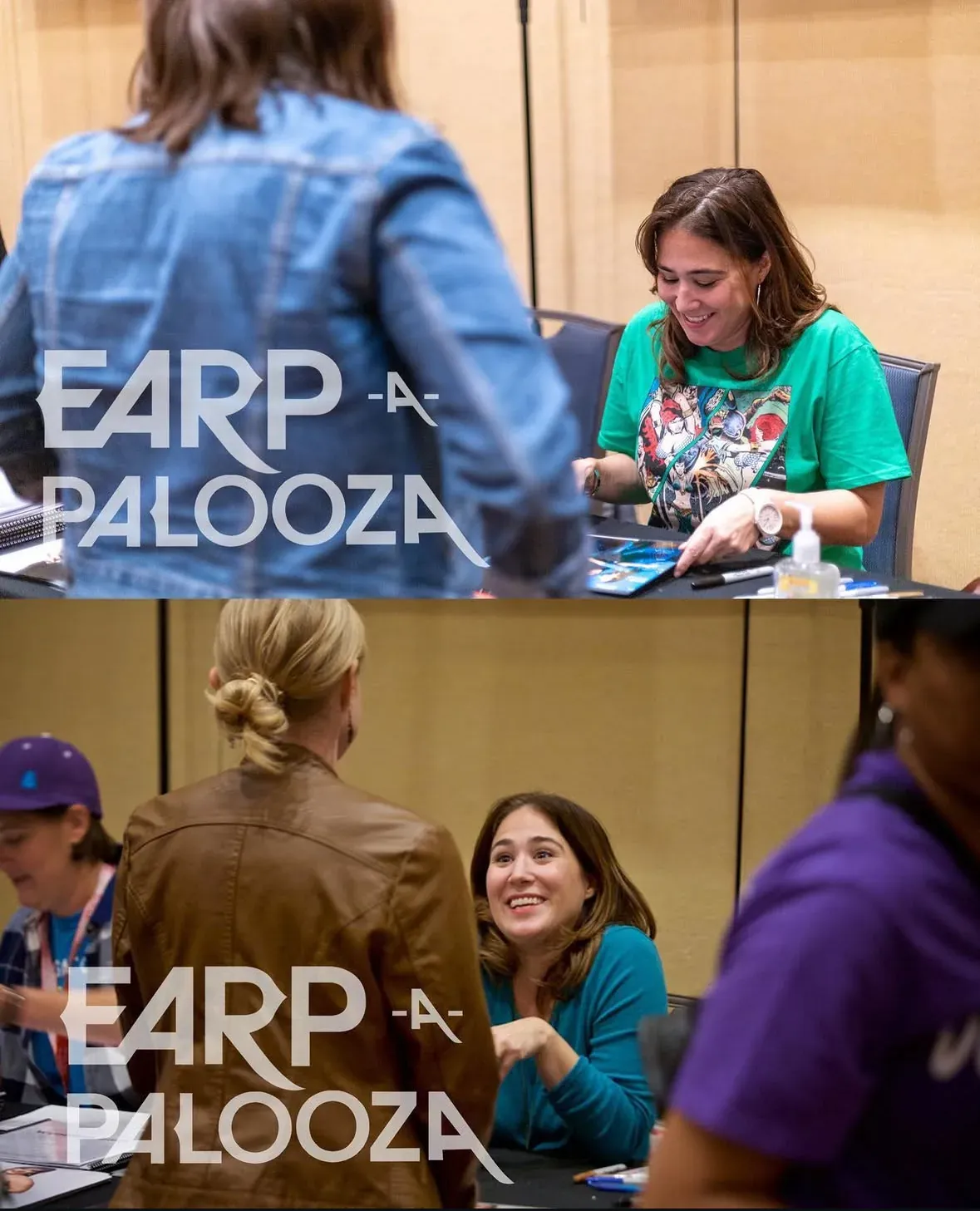
Fan conventions are a good example. At Earp-a-Palooza, tight space and heavy demand around celebrity meet-and-greets created confusion, long waits, and pressure on staff. Once they shifted to virtual queues across talent tables and photo op stations, fans had more freedom and staff had more control. Read more about that event story in the Earp-a-Palooza case study.
Guests rarely leave because they hate waiting
Guests usually leave because the wait feels vague, unfair, or endless. Research on waiting psychology has pointed to the same issue for years: uncertain waits feel longer than known waits, and unoccupied waits feel worse than occupied ones. The waiting problem is often an information problem, not just a time problem. The Harvard Business Review has covered this topic extensively.
That is the part many teams miss. You can have a 20-minute wait that feels manageable if guests know what is happening. You can also have a 10-minute wait that feels broken if nobody knows where to stand, when they will be called, or whether the line is moving at all. That question leads straight into the next issue: which trends are actually fixing this?
The event queue systems that are defining the next phase
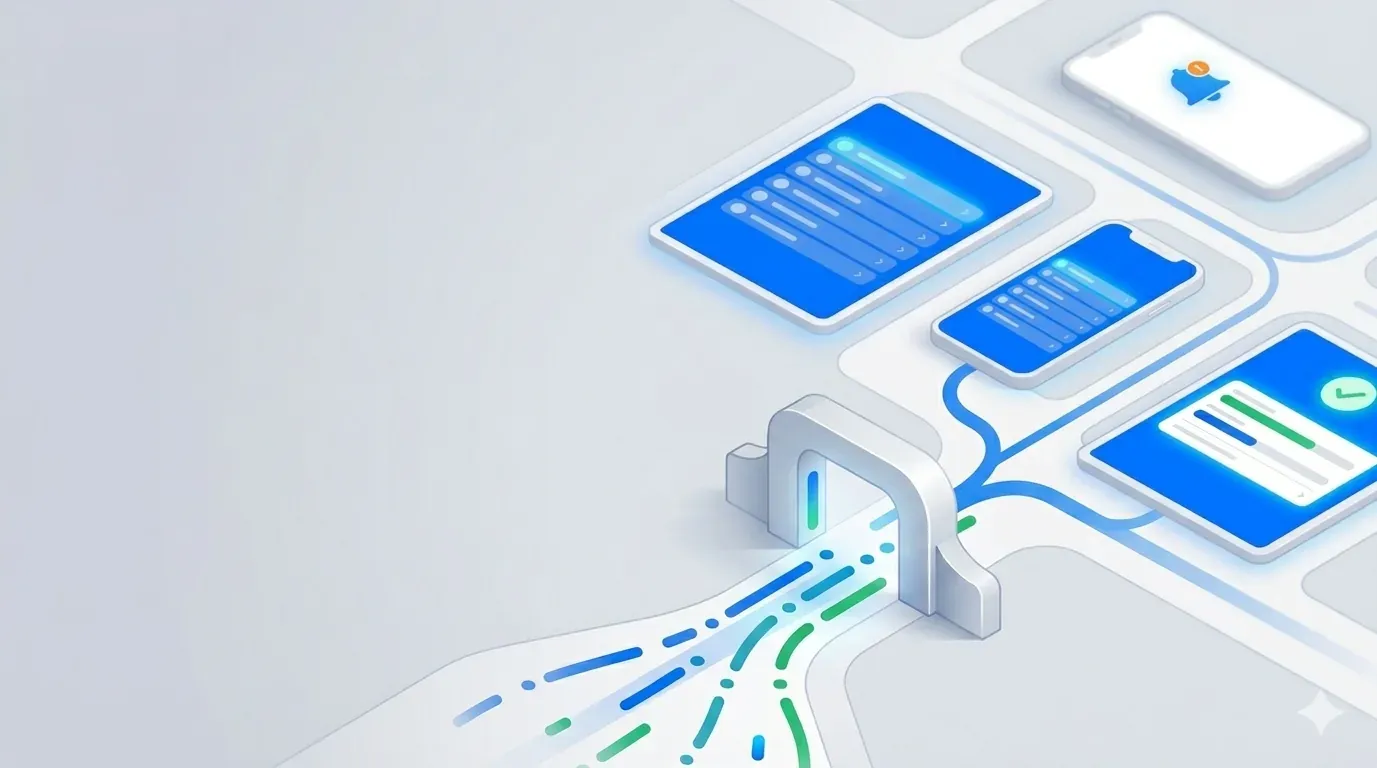
The next phase of event queue management trends is built around hybrid control, mobile communication, and measurable flow. The common thread is simple: operators keep enough physical line to preserve visibility, then use digital tools to absorb overflow and guide returns. That mix works better for live events because demand rises and falls fast.
Hybrid queues are replacing all-or-nothing setups
The strongest trend is the hybrid queue. Not a full replacement. Not a stubborn physical-only setup either. A hybrid queue keeps a short standby line visible while moving the rest of the demand into a virtual wait.
That matters because event traffic is lumpy. One speaker mention, one influencer post, one giveaway drop, and your guest flow changes instantly. Rigid systems struggle with that. Hybrid control gives operators room to adjust in real time.
We’d argue this is the most important shift in the category. If your event has unpredictable bursts, don’t aim for “no line.” Aim for “short visible line plus managed virtual overflow.” If average service time is over 3 minutes per guest and arrivals come in waves, hybrid usually beats physical-only.
Self check-in is becoming a staffing decision, not just a convenience feature
A QR code at the entrance used to feel like a nice extra. Not anymore. For high-traffic activations, self check-in now changes staffing math.
At a busy fan event or trade show booth, every manual check-in steals attention from higher-value work. Staff should be greeting, qualifying, guiding, and delivering the experience. They shouldn’t spend most of the day writing names down or explaining line order to irritated guests.
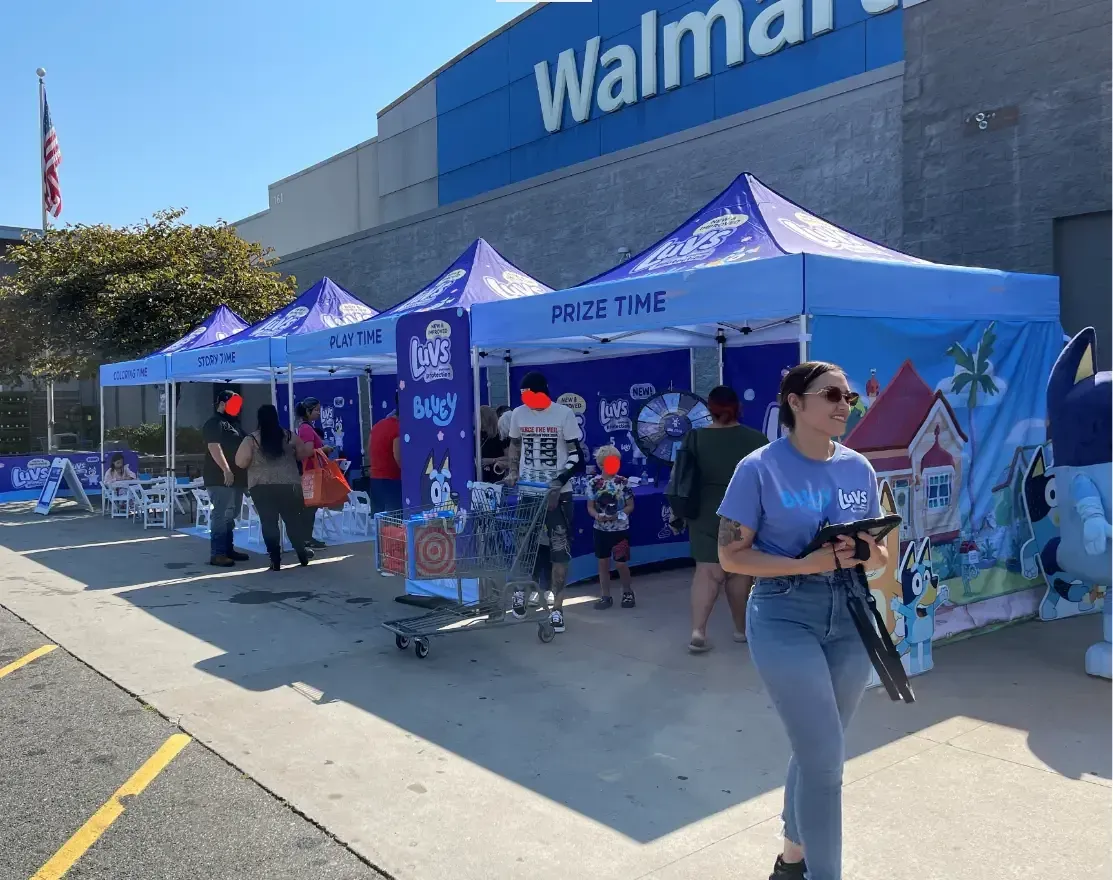
Eventus saw that firsthand at a Bluey Meet & Greet after dealing with pagers and pen-and-paper systems that created extra work and extra cost. QR-based registration and real-time updates gave field managers a simpler way to run the flow while letting guests register on their own. The Eventus case study is worth a read if you run family-friendly, high-volume activations.
SMS updates are replacing the “hover nearby” instruction
Telling guests to stay close is not a real queuing strategy. It is a placeholder. And honestly, people hate it.
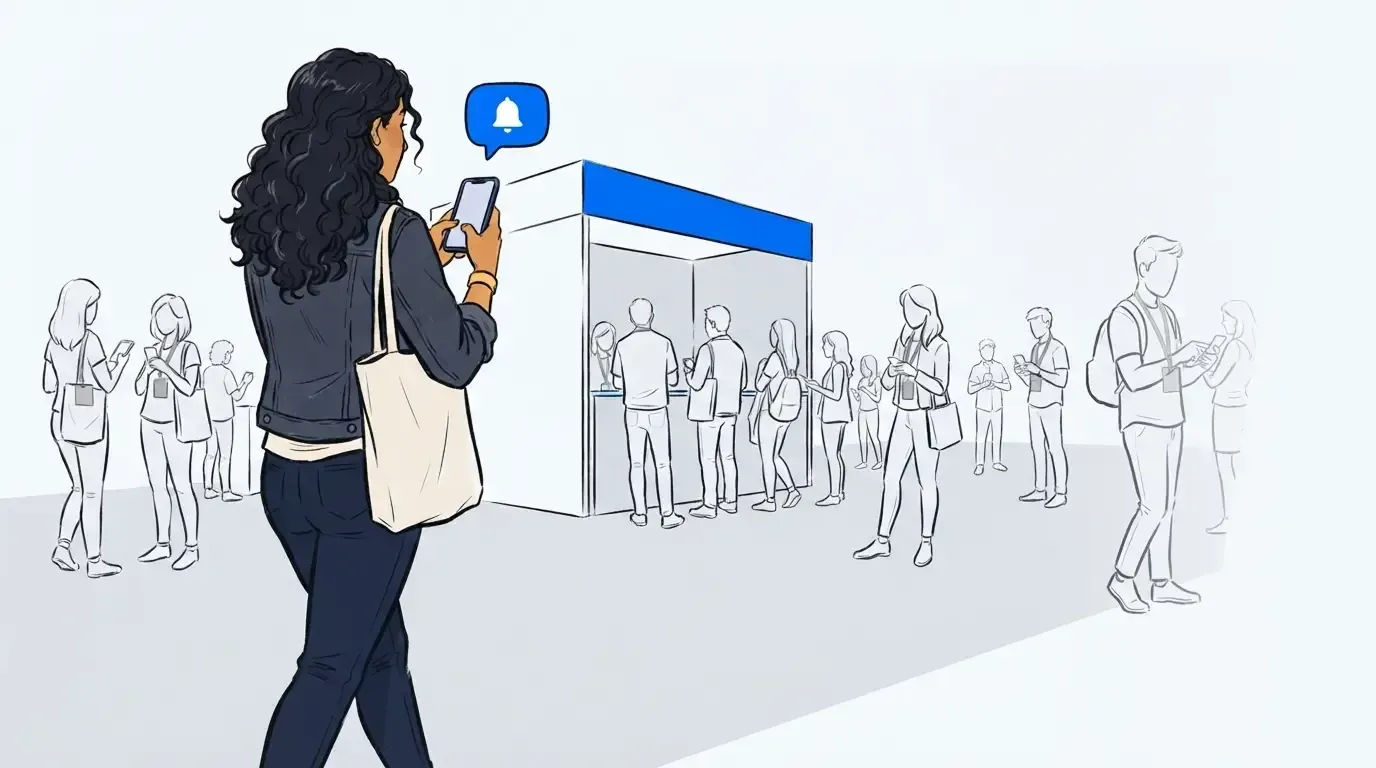
One of the clearest event queue management trends is the move toward SMS-based updates that let guests leave the line area without losing their place. This is especially useful at conferences and expos where attendees want to catch a session, visit a nearby booth, grab coffee, or simply stop standing shoulder to shoulder with strangers.
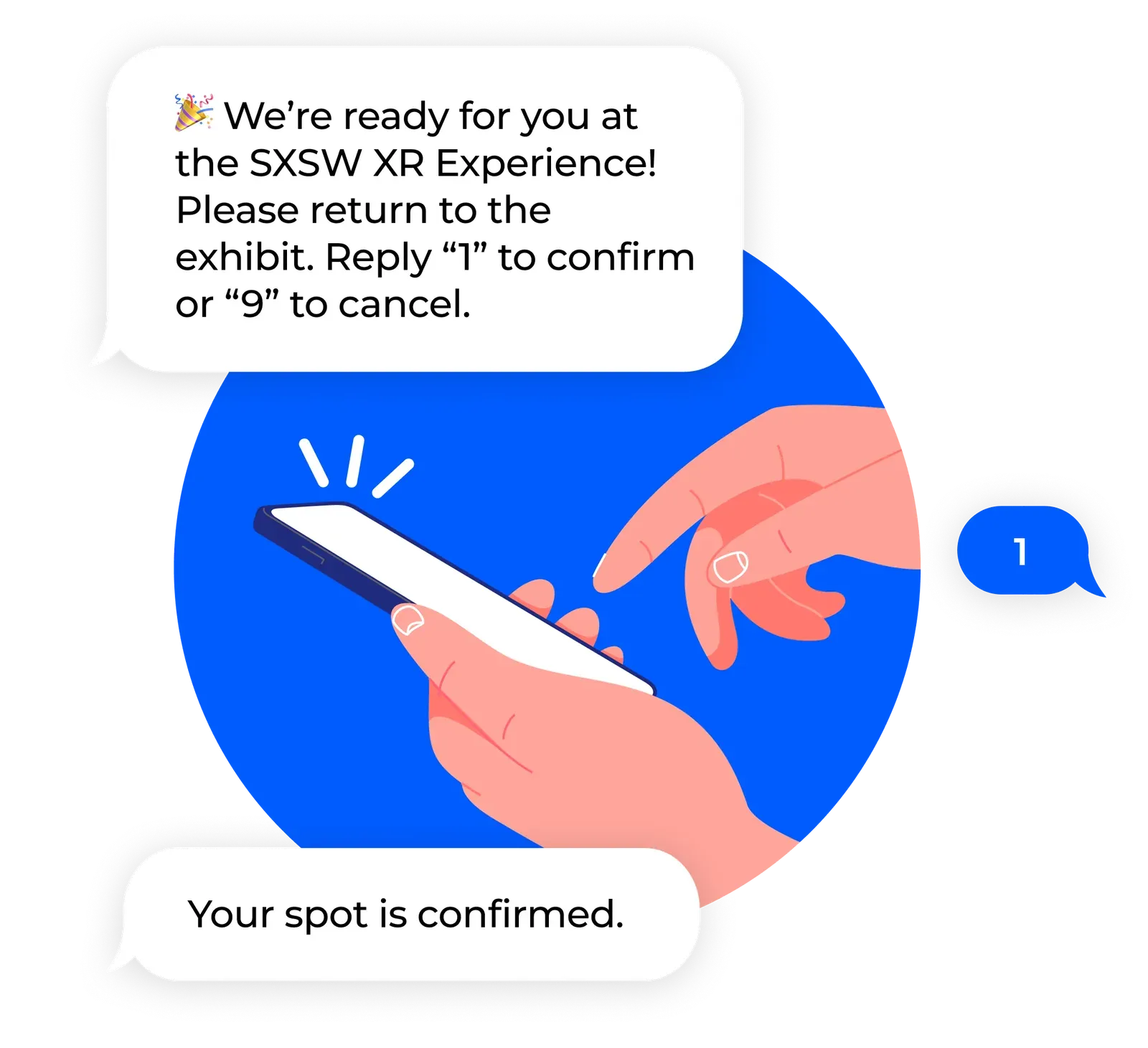
The operational rule is pretty simple: if your guests can productively use the next 15 to 40 minutes elsewhere, mobile updates create better event flow than physical holding patterns. At a high-demand XR activation at SXSW, exhibitors used self check-in, QR codes, and SMS updates so attendees knew when to come back. The result was stronger attendee retention and less guesswork around exhibit timing. Our SXSW case study is worth a deeper read if you run high-volume conferences or activations.
Wait times are turning into engagement opportunities
This trend is easy to underestimate. Teams often talk about reducing wait time, which makes sense. But some waits will still exist, especially at popular activations. So the smarter question becomes: what can that wait time do for the event?
That is where branded waiting content starts to matter. If a guest is already waiting from their phone, that moment can carry sponsor messaging, maps, videos, product highlights, social prompts, or simple FAQs that reduce confusion. Waiting becomes a communication layer, not dead air.
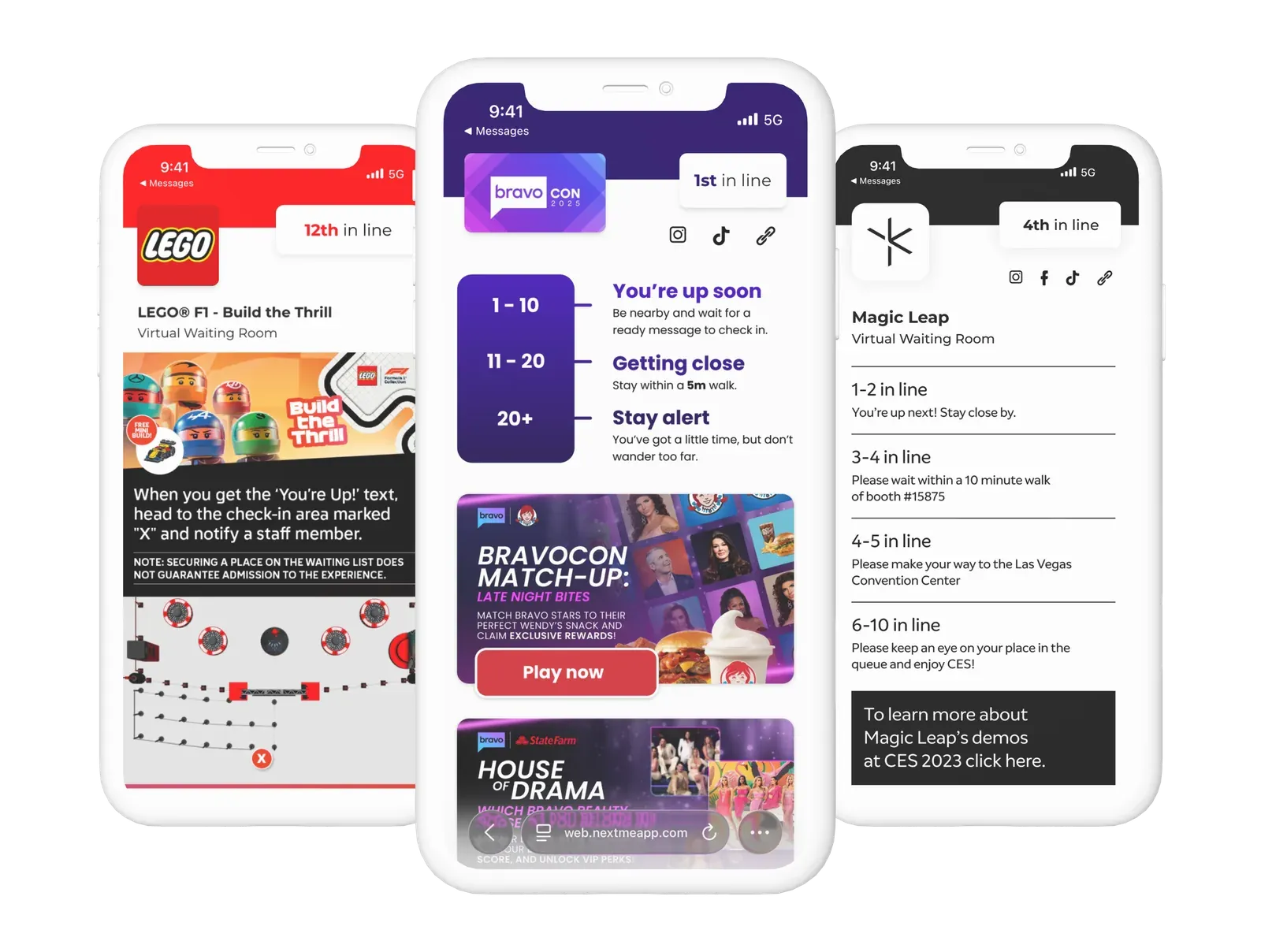
Illustrated by the examples above, virtual waiting rooms can be so much more than passive holding mechanisms. When leveraged strategically, they serve as meaningful brand touchpoints that prime guests for the experience ahead. That is a meaningful change. The line no longer sits outside the experience. It becomes part of it.
Reporting is moving from optional recap to planning requirement
A surprising number of events still finish without a clear answer to basic flow questions. How many people joined? How long did they wait? Where did abandonment start? Which station created the biggest bottleneck?
If you don’t have throughput and wait data after the event, you’re stuck with opinions. Some teams resist this because they think reports are a nice extra. If you only run one small pop-up a year, you may not need deep analysis. But if you run repeat activations, travel programs, or large event footprints, that data quickly becomes the difference between guessing and planning.
The National Institute of Standards and Technology has long emphasized the importance of crowd flow data in managing high-traffic environments. If you’re running a large event, live data is critical to keep your event running smoothly and adjust to demand in real-time.
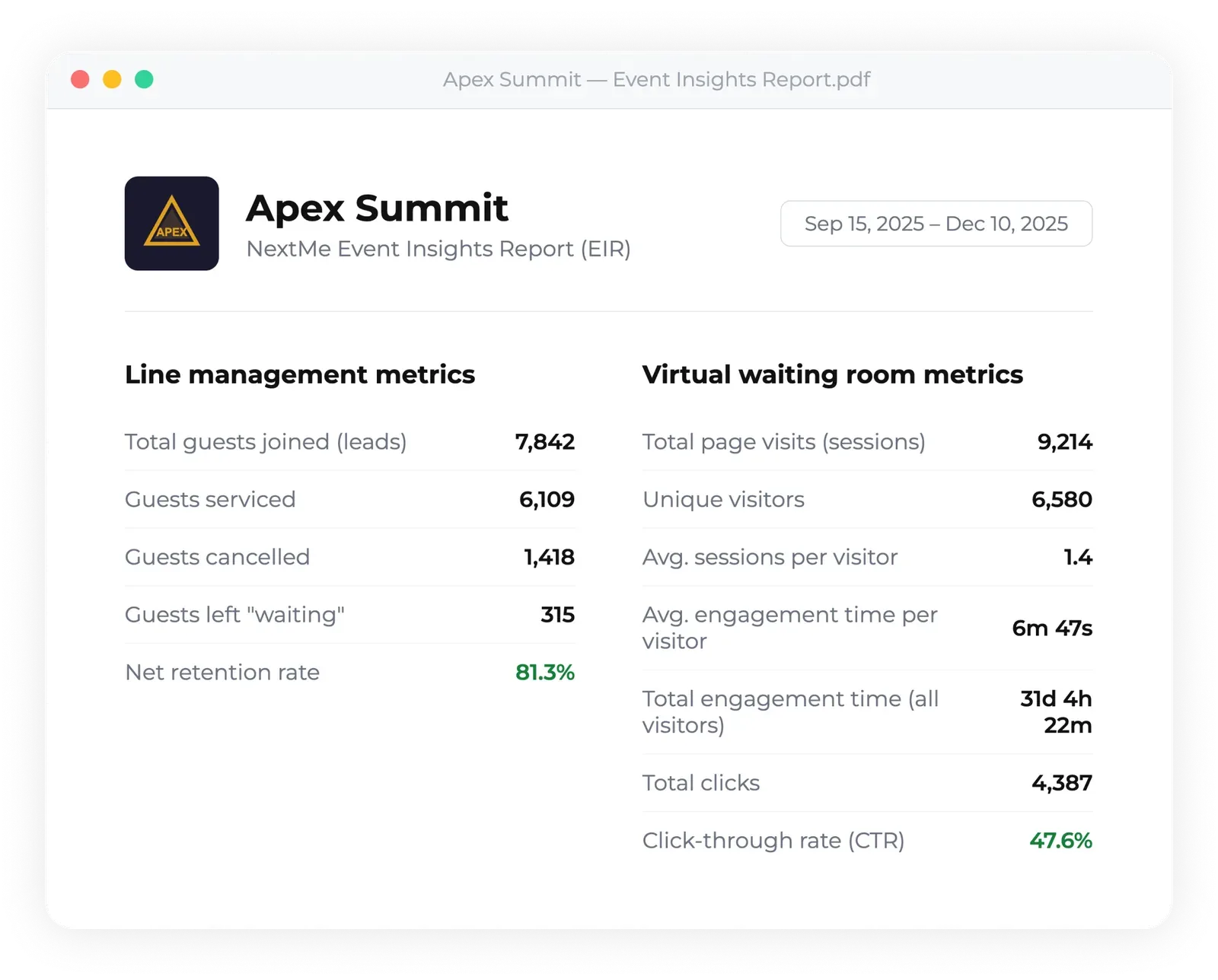
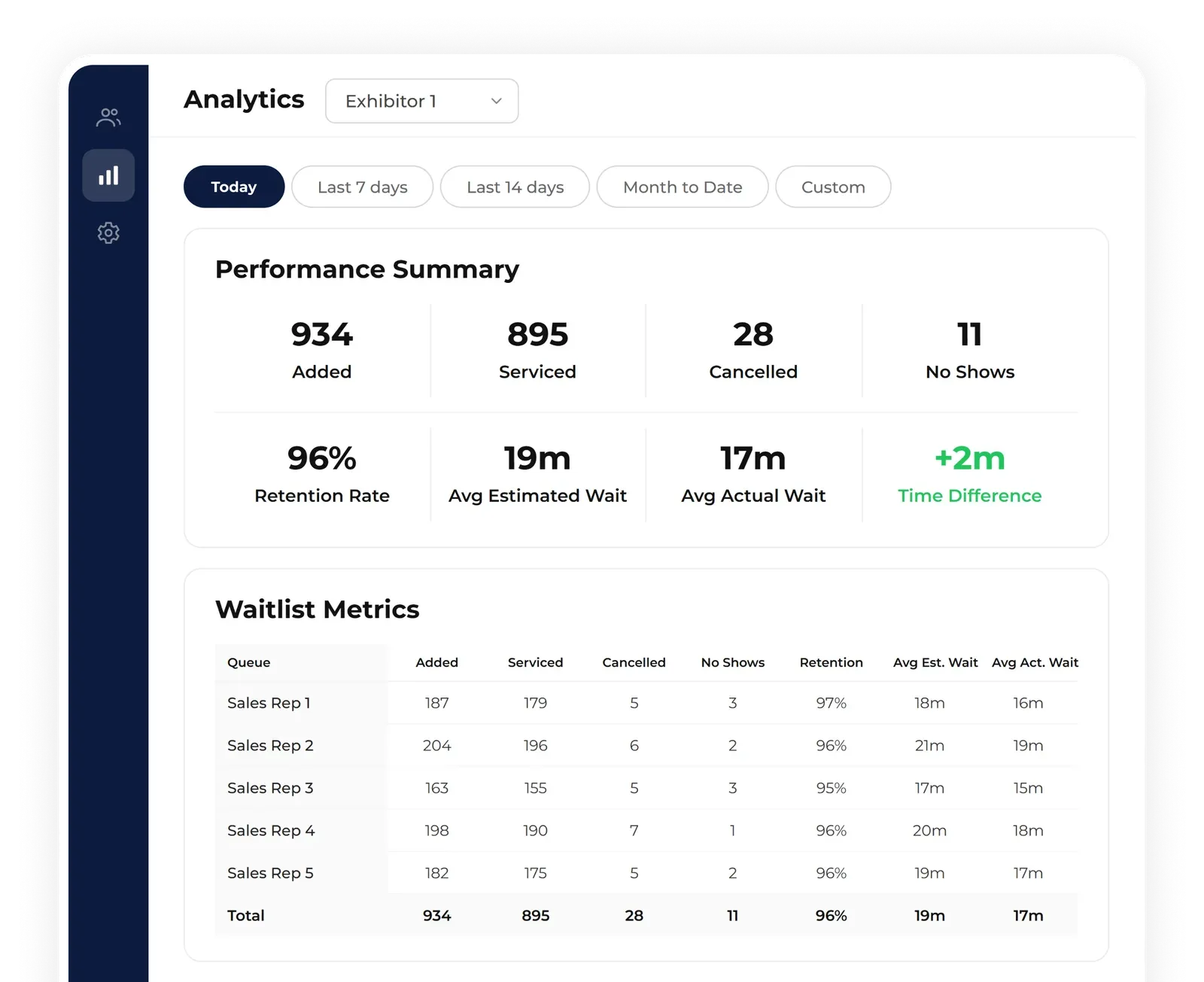
NextMe’s powerful analytics dashboard gives organizers real-time visibility into attendee flow, so you can monitor and adapt as your event unfolds. When it’s all over, you’ll receive a detailed Event Insights Report - a clear summary of event performance packed with actionable metrics to drive meaningful improvements at your next event.
How event teams can decide which queue trend fits their activation
The right event queue approach depends on volume, space, service time, and guest behavior. But that doesn’t mean the choice is vague. You can diagnose the right model quickly by using a few thresholds before the event starts, then pressure-testing them during the first traffic surge.
Start with a simple queue gut check
Before doors open, operators should run a simple gut check on whether their queue setup actually fits the experience they’re delivering.
If your average guest interaction takes under 3 minutes, a short physical line may be enough. If more than 12 guests can build up at once, you need a hybrid plan ready. And if expected waits can hit 30 minutes at any point, guests need mobile updates and a clear return flow or the experience starts to feel broken.
That logic reflects how events actually behave. Very short interactions can survive with a physical line. Medium-demand activations need a balance of physical lines for optics and overflow control. Longer waits need communication. Not a dramatic overhaul, just a plan that keeps guests informed and in control.
Map the line by station, not by event
One big mistake is treating the whole event like one queue problem. It rarely is. A registration desk, a product demo, a VIP photo op, and a limited-capacity experience do not behave the same way.
That is why multi-station events should diagnose queue needs separately. If one station has 5-minute interactions and another has 45-second check-ins, they should not be managed with the same assumptions. A simple station map often reveals where physical lines can stay and where virtual overflow should begin.
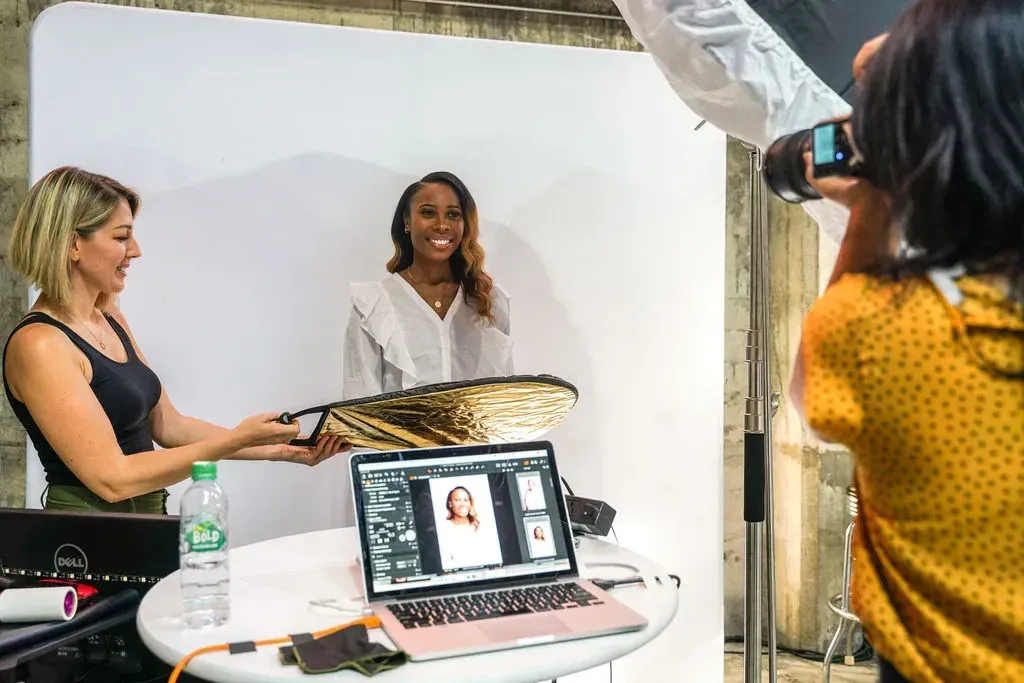
The Mom Project’s event setup is a good example. Different stations created very different demand patterns, from resume reviews to headshots and styling. Once attendees could join virtual waits instead of standing in place, they spent more time networking and stations moved more efficiently. That is the kind of split-station thinking more organizers need.
Design return windows, not exact promises
Guests want clarity. They do not need fake precision.
This is one of those areas where event teams can accidentally make things worse. If you promise exact return times in a live environment that keeps changing, you set yourself up for frustration. A better practice is the Return Window Rule: give a realistic range, then send updates as the queue moves.
That approach respects how live events actually operate. Delays happen. Group sizes change. Talent timing shifts. Staff breaks run late. Anyone who has managed a real activation knows this. Flexible windows work better than rigid promises because they absorb the messiness of the day without leaving guests in the dark.
Plan for the second wave, not the opening rush
Most teams prepare for the first rush. Fewer prepare for the second wave after lunch, after a keynote, or after a social post sends people your way. That second surge is where crowd flow usually gets sloppy.
A practical fix is to assign one operator to watch not just current queue size, but the re-entry rate. How many people are being called back at once? How quickly is the visible standby line refilling? Where are guests bunching up near the experience entrance? Those signals matter more than broad attendance estimates in the moment.
We’re not talking about perfection here. Some events are chaotic by nature, and that is fair. But the teams that hold up best have a threshold plan. If standby exceeds X, virtual intake expands. If return congestion rises, hold notifications for a few minutes. If one station stalls, redirect arrivals elsewhere. Simple decisions. Big difference.
Treat queue communication as part of the guest experience
Waiting is not just an operational challenge. It is a critical part of the overall brand experience.
The words on your signage, the clarity of your check-in flow, the tone of your text updates, and the instructions guests receive before returning all shape how professional the activation feels. If that communication is muddy, people assume the operation is muddy too.
So yes, event queue management trends are about systems. But they are also about trust. Guests forgive waiting much faster when the process feels organized and respectful. That leads to the final question: what does this look like when the technology is built for it from the start?
How NextMe supports modern event queue management
NextMe supports modern event queue management by giving operators control over how much of the line stays visible and how much moves into a virtual queue. It is a hybrid queue solution built for in person events, where demand changes fast and guests need clear updates on when to return. The result is a shorter physical line, better guest flow, and more room for the event itself.
Built for hybrid event flow, not an all-or-nothing replacement
NextMe is a modern virtual waiting room for in person experiences. Guests can join through a QR code, kiosk, or link, then receive SMS updates and return when space becomes available. That matters because most event teams do not want to remove every visible line. They want to keep enough presence to show demand while moving overflow off the floor.
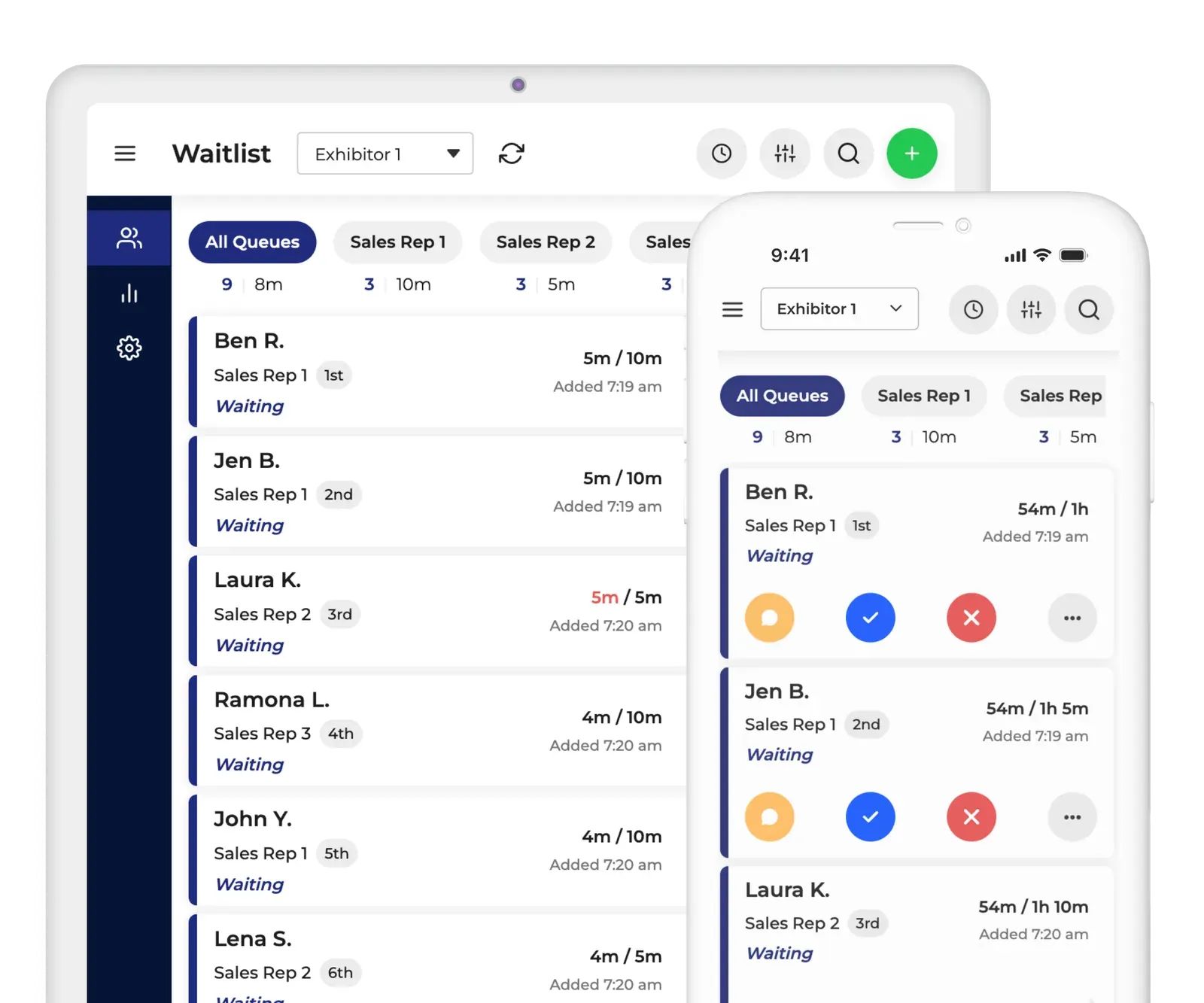
With NextMe, staff can manage live waitlist activity through a real-time dashboard that shows who is waiting, who is next, and who is being served. For multi-station activations, NextMe also supports multiple queues under one waitlist, which is useful when a single event includes different experiences or service points. If your issue is that one crowded line is eating the space around several stations, this setup gives you more control without forcing a rigid appointment based model that are hard to meet guest expectations.
Better guest communication without making people download an app
NextMe also fits the way event guests already behave. They scan, tap, and expect updates on their phones. Through self check-in, guests can enter the queue by QR code, kiosk, or link. Then SMS Notifications send confirmations, updates, and return notices without requiring an app download.
That is a practical win. Guests stay informed and mobile instead of hovering near a rope line. At the same time, the virtual waiting room gives organizers a branded web-based space where guests can see live queue information and, when it makes sense, engage with content like sponsor assets, videos, maps, games, or product carousels. NextMe does not promise to remove all waiting or guarantee exact wait times. It gives event operators a clearer and more flexible way to manage real-world waiting.
Reporting that helps operators improve the next event
This is the part many teams appreciate later. After the doors close, NextMe offers analytics on queue performance, and event programs can also receive Event Insight Reports with throughput and Virtual Waiting Room engagement data. If you are trying to understand where guests dropped, which queue moved fastest, or how branded waiting content performed, those reports give you something concrete to review.
For events with high-volume join moments, NextMe also offers event-tier support for simultaneous joins through high velocity SMS and added protections built for larger surges. So the value is not only in running the line better on the day. It is in learning from the event afterward and improving the next activation with real numbers, not hunches.
If your team wants a hybrid queue that fits real event flow, get in touch and talk through the setup before your next activation.
A better event queue is one guests can live with
The most important event queue management trends are not about making lines disappear. They are about making waiting feel clear, fair, and manageable. For live events, that usually means keeping some visible demand, moving overflow into a virtual queue, and guiding guests back at the right time.
That approach is more honest. It is also more useful. Events are busy, unpredictable, and full of movement. Your queue should work the same way.