Overview
| NextMe | QLess |
|---|---|
| A modern virtual waiting room that makes it simple for teams to manage their waitlist and serve more customers. Keep lines moving and create amazing first impressions, all while saving money on outdated technology. | QLess’s versatile queuing platform seamlessly blends physical and virtual visitor management for organizations, of any size, in any industry. Enhance customer experiences and streamline your operations with ease. |
Features
Both platforms offer a robust and comparable feature set. QLess offers virtual wait lists and remote joining, but not a branded virtual waiting room to engage guests while they wait. Neither platform offers robust table management features at this time.
| Feature | NextMe | QLess |
|---|---|---|
| Industry Agnostic | Yes | Yes |
| Enterprise Friendly | Yes | Yes |
| SMS Messaging | Yes | Yes |
| Customizable Notifications | Yes | Yes |
| Customizable Queues and Fields | Yes | Yes |
| Appointment Scheduling | Yes | Yes |
| Self Check-in | Yes | Yes |
| Public Waitlist | Yes | Yes |
| Privacy Options | Yes | Yes |
| Repeat Guest Lookup | Yes | Yes |
| Estimated Wait Times | Yes | Yes |
| Web App | Yes | Yes |
| iOS App | Yes | Yes |
| Android App | Yes | Yes |
| Virtual Waiting Room | Yes | No |
| Table Management | No | No |
Usability
NextMe
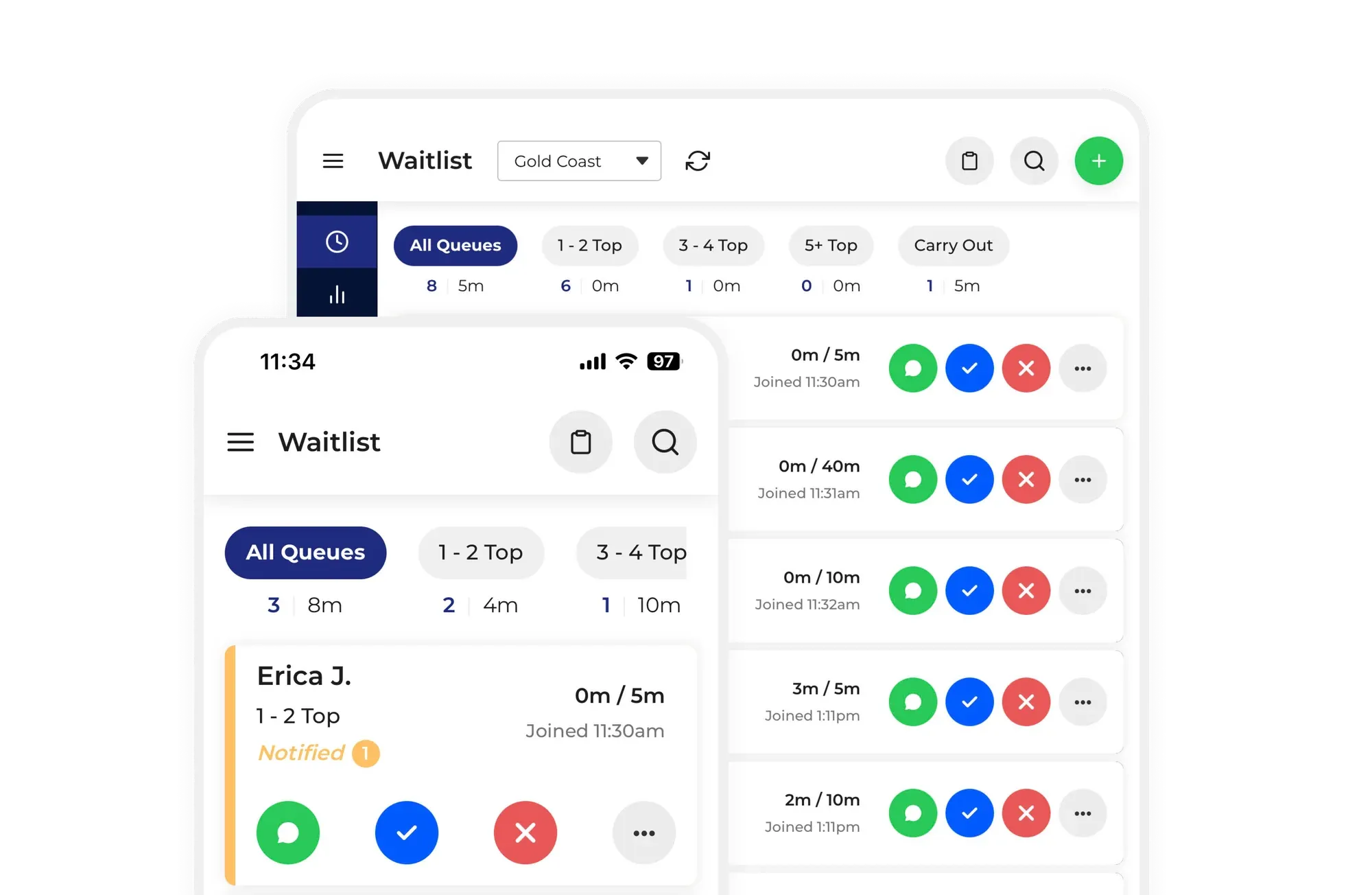
Ranks 4.9 out of 5 for ease of use based on Capterra reviews. NextMe is easy to use and train and this is a common source of praise relative to other competing tools. Usability is a frequent theme in NextMe’s positive reviews.
QLess
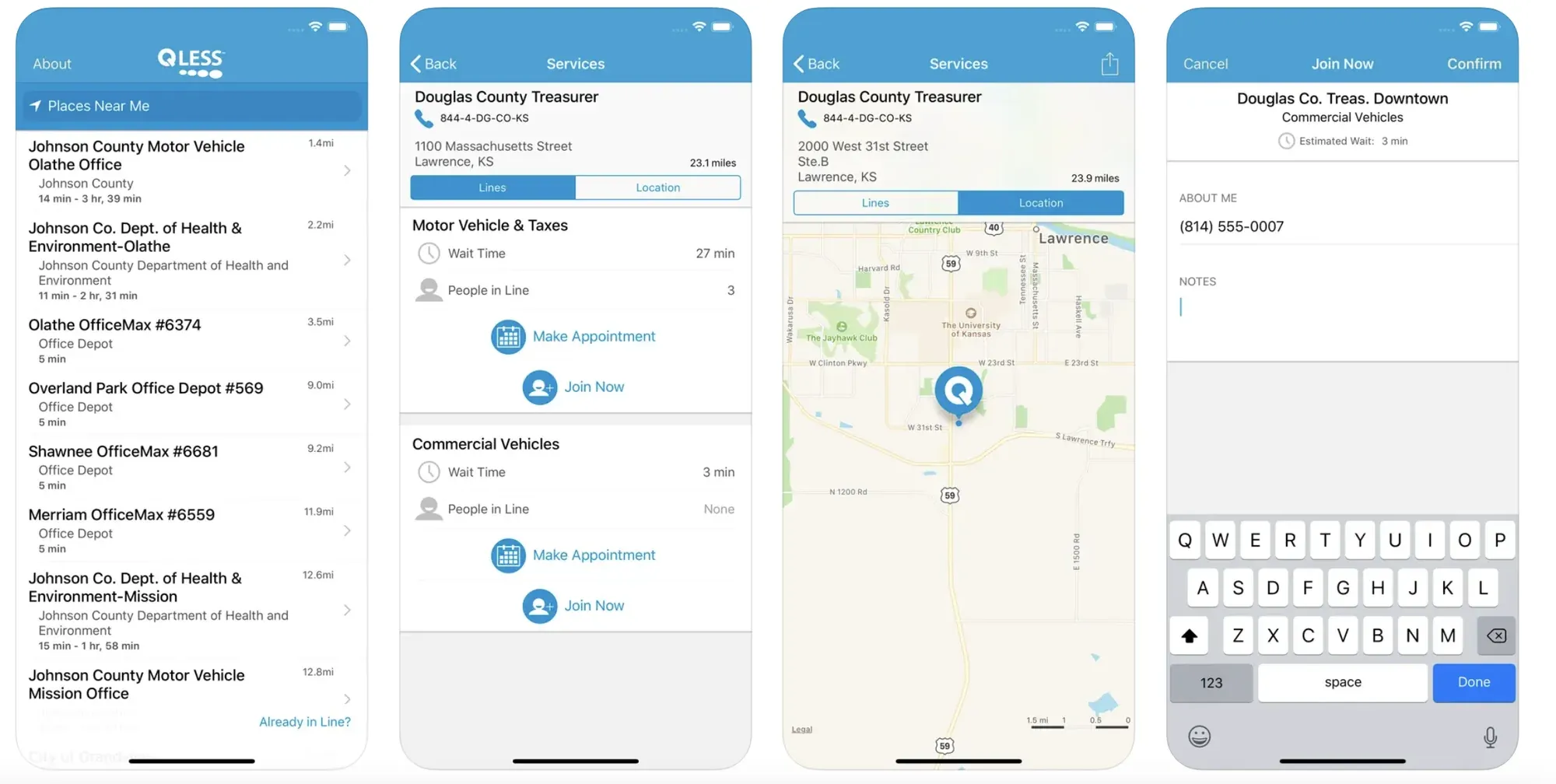
Ranks 4.8 out of 5 for ease of use on Capterra, from a small number of reviews, and its guest-facing iOS app is well rated. Its staff interface looks dated next to newer tools, though if a modern interface isn’t a priority for your business, you may be fine with the experience it offers.
Pricing
NextMe publishes its prices and offers a 14-day free trial of its paid features, plus a free plan for small teams. QLess publishes no pricing, so every quote starts with a sales call; third-party listings show it from about $60 per user per month, with no trial or free version.
| Plan | NextMe | QLess |
|---|---|---|
| Free Trial | Yes 14 days | No |
| Free | Yes Up to 100 SMS per month | No |
| Starter | $49.99/mo when billed annually | Not published. About $60 per user per month on third-party listings |
| Business | $79.99/mo when billed annually | Not published |
| Enterprise | Custom | Custom |
Support
NextMe offers live chat and a public help center, with phone support on its Custom plan. QLess supports customers through two ticket portals, one for its legacy Linebuster platform and one for Tempo, each with a knowledge base behind a customer login. It doesn’t offer live chat.
| Support | NextMe | QLess |
|---|---|---|
| Help Center | Yes Public | Customers only |
| Chat Support | Yes | No |
| Phone Support | Custom plan | Not advertised |
| Personal Demos | Yes | Yes |
Conclusion
NextMe and QLess each have their own pros and cons as waitlist platforms. NextMe is ideal for teams that need an easy to use, feature-rich solution with reliable human support. QLess has a long track record in government and higher education, but with no published pricing, trial or free version, it’s harder to evaluate before you commit.
If you’re a current QLess customer, we can seamlessly transition you to NextMe and import your existing QLess data. Reach out to us to learn more.
