
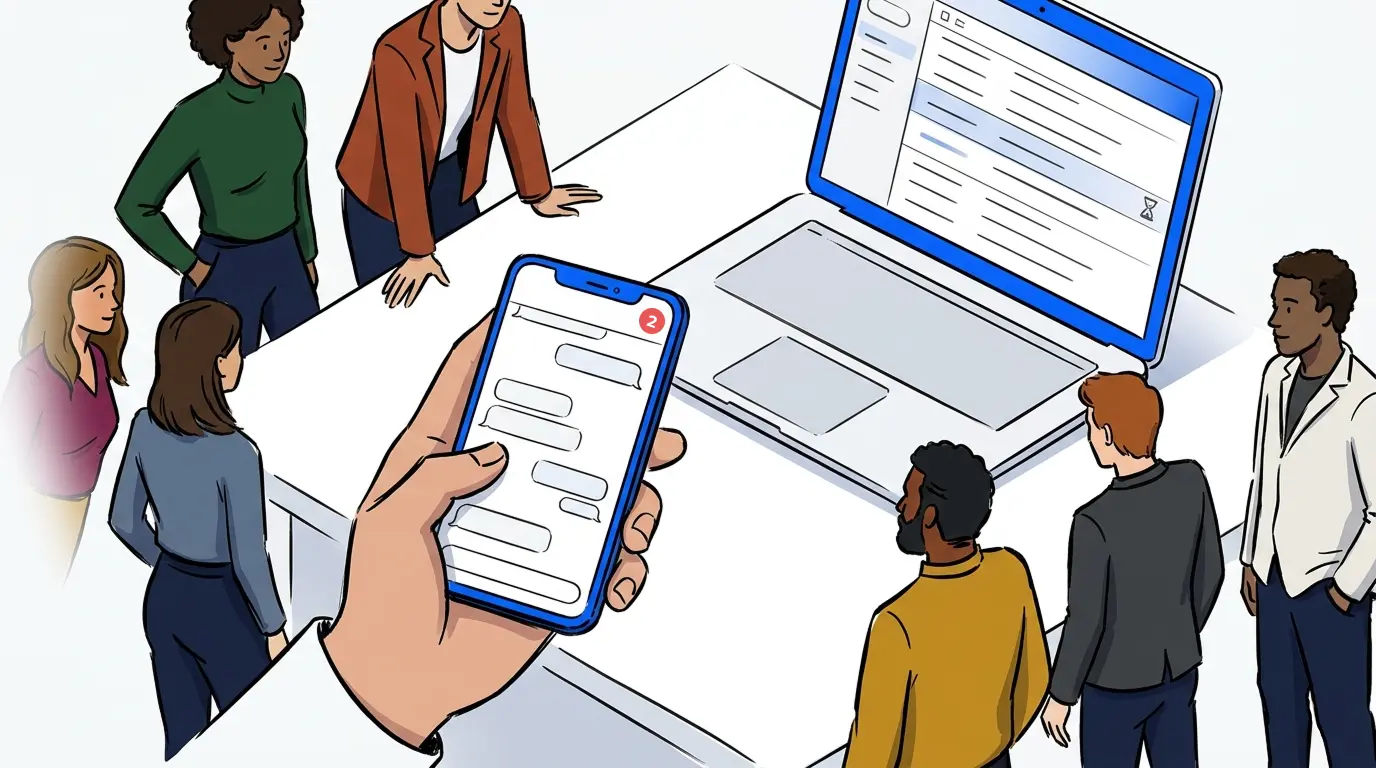
If your business uses a waitlist, you have probably wondered what to say to customers while they wait. A clear, well-timed message keeps people in the queue. A vague one, or no message at all, sends them out the door.
Waitlist emails are a common solution, especially for businesses that manage bookings in advance, run pre-launch lists, or communicate with customers who joined a queue online. They are practical, easy to send, and require no special tools.
This post covers what a waitlist email should include, ready-to-use templates for the most common situations, and an honest look at when email is the right tool and when a different channel serves your customers better.
What is a waitlist email?
A waitlist email is a message sent to a customer who has joined a queue, pre-launch list, or reservation system to confirm their position, set expectations, and keep them engaged until they are served. It can be a one-time confirmation, a sequence of follow-ups, or a final notification when it is their turn. The goal is the same across all three: give the customer enough information to stay in the queue and feel confident that the process is working.
What a waitlist email should actually do
Most waitlist emails fail because they try to do too much. They are long, vague, and ask customers to sit tight without giving them a reason to. A good waitlist email does three things only: it confirms the customer is in the queue, it tells them what to expect next, and it gives them one clear action if they need to respond.
The underlying principle is simple. Waiting is not the problem. Uncertainty is. A customer who knows their position and understands the next step will tolerate a wait that would otherwise drive them away. A customer who receives a generic “you’re on the list” message with no follow-up has no reason to stay.
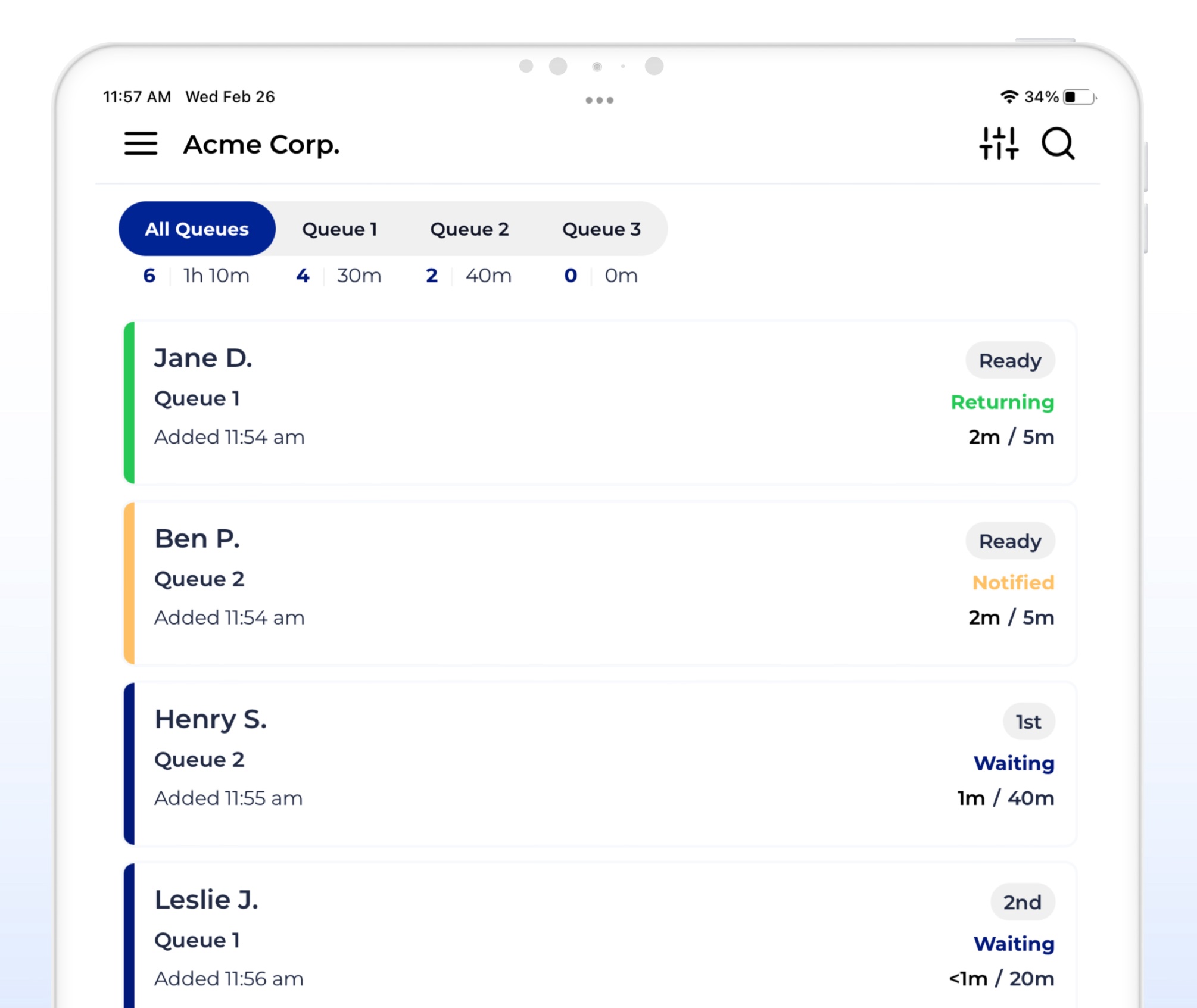
For businesses managing appointment-based waitlists or walk-in queues alongside scheduled bookings, waitlist management tools handle this communication automatically, removing the need to send individual emails by hand. But for businesses that are managing lists manually or using email-first tools, the templates below give you a reliable starting point.
Waitlist email templates for common situations
These templates are written for the most frequent use cases. Adjust the language and tone to match your business, but keep the structure: confirm the position, set the expectation, and give one clear next step.
Confirmation email: you’re on the list
Send this when a customer first joins the waitlist.
Subject: You’re on the list – here’s what happens next
Hi [Name],
You’re confirmed on our waitlist. We’ll be in touch as soon as a spot opens up for you.
In the meantime, here’s what you can expect: [brief description of next step or timeline]. If anything changes on your end, reply to this email and we’ll update your information.
Thanks for your patience. We’ll be in touch.
[Your business name]
Follow-up email: still waiting
Send this if a meaningful amount of time has passed and the customer has not been served yet.
Subject: Still on the list – a quick update
Hi [Name],
We wanted to check in. You’re still on our waitlist and your spot is held. We’re working through the queue and will be in touch as soon as we’re ready for you.
Estimated wait: [timeframe if known]. If you have questions, reply here or contact us at [contact method].
[Your business name]
Notification email: it’s your turn
Send this when the customer is next in the queue or their spot is ready.
Subject: Your turn is here
Hi [Name],
Great news: your spot is ready. [Instructions for what to do next: arrive at the location, click the link, call us, etc.]
If you’re no longer available, let us know by replying to this email or [alternative contact] so we can offer your spot to someone else.
See you soon.
[Your business name]
Why SMS outperforms email for real-time waitlist notifications
Email templates work well for pre-launch lists, appointment confirmations sent days in advance, or any waitlist where timing is not critical. But for real-time queue management, where the gap between “it’s your turn” and “we gave your spot to someone else” is measured in minutes, email has a fundamental problem: it arrives too late.
The average email open rate sits around 20-30%, according to Mailchimp’s email marketing benchmarks, and most opens happen hours after delivery. A waitlist notification that lands in a promotions tab or gets filtered by a spam algorithm has not actually reached the customer. SMS, by contrast, has an open rate consistently reported above 95%, with the majority of messages read within three minutes of receipt, a pattern reflected in Klaviyo’s SMS marketing benchmarks.
For live-service businesses, this is the difference between a filled spot and a walkaway. Experiential activations using NextMe’s SMS-based notification system, including automotive brand experiences and large-scale conference queues, have reported measurable improvements in guest return rates when moving from manual communication to automated SMS. Customers who receive a real-time text know exactly what is happening. Customers waiting for an email do not.
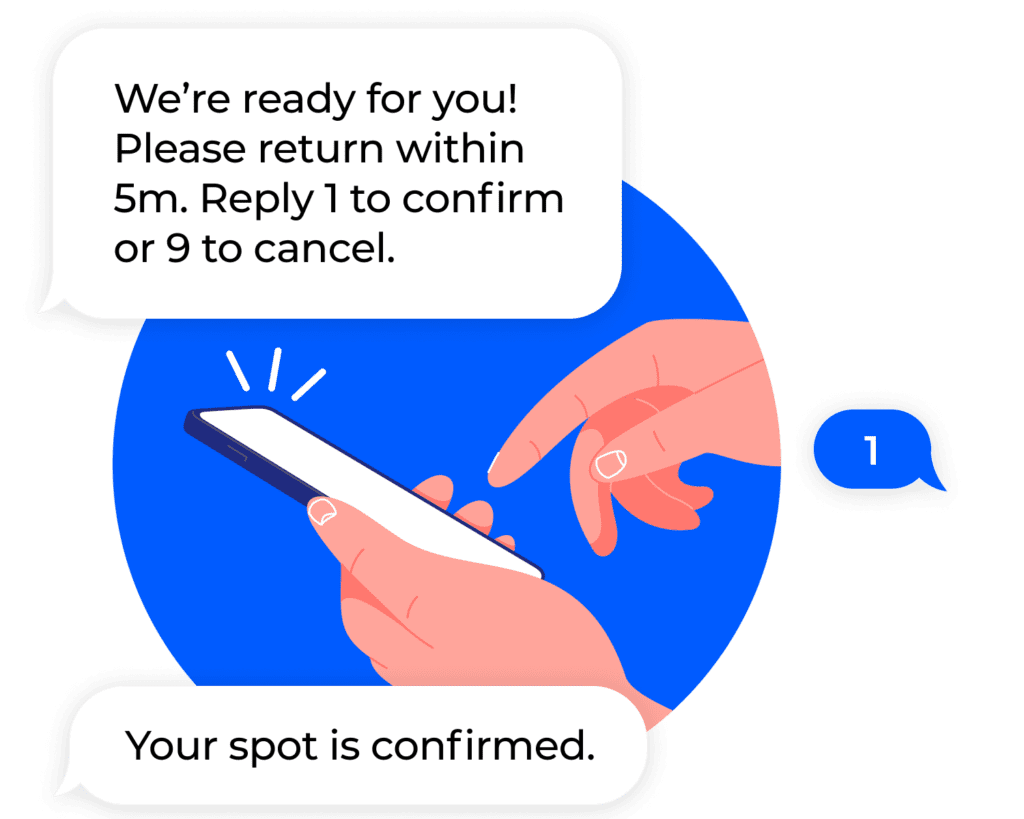
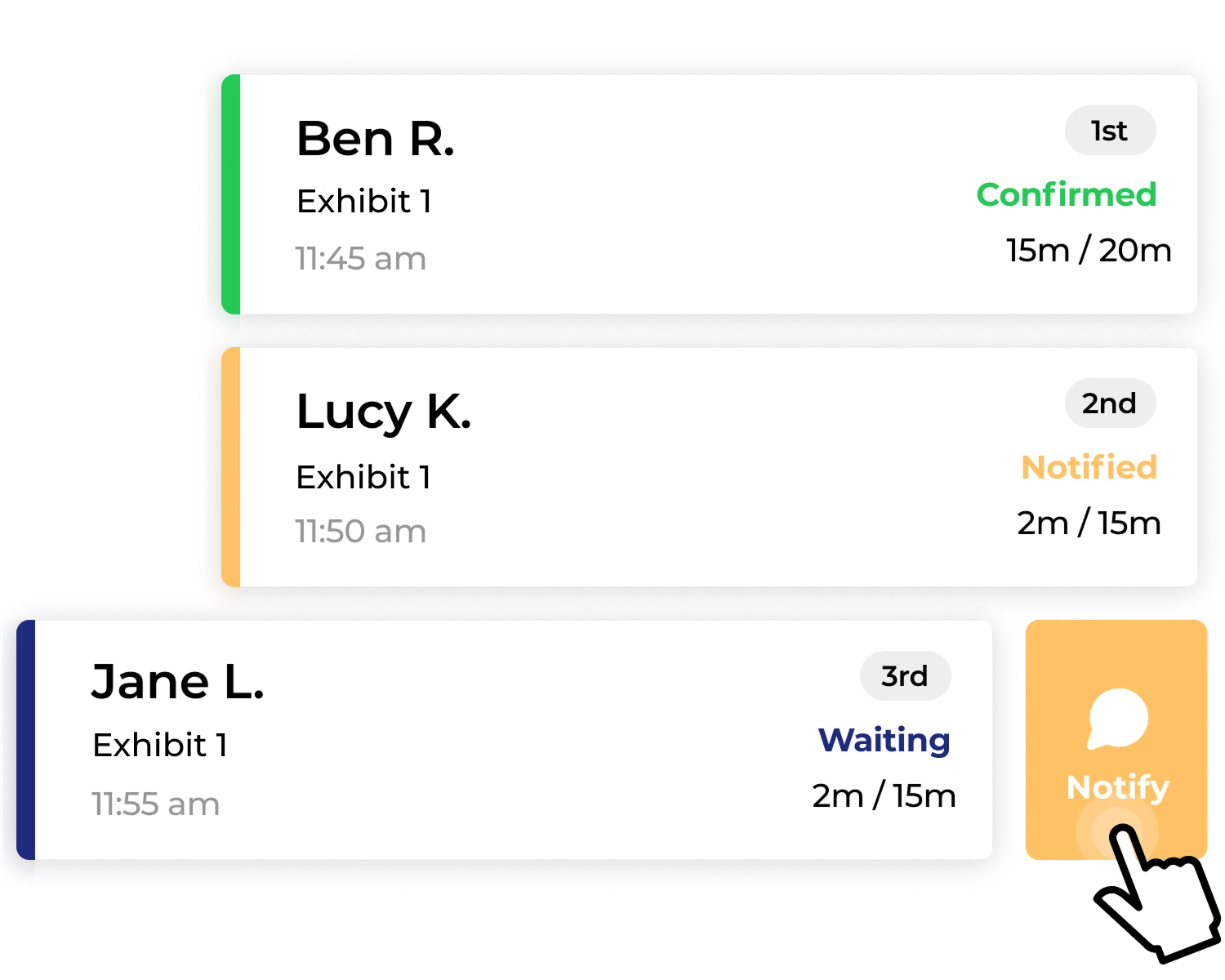
NextMe handles waitlist notifications via SMS by default. When a guest’s turn arrives, the operator triggers a notification from the queue dashboard, and the guest receives a text within seconds. No email template is needed. No manual follow-up. The guest gets certainty in real time, and the operator gets a queue that moves without friction. See how NextMe’s waitlist management handles this automatically for live-service businesses across every vertical.
When email still makes sense for waitlist communication
Not every waitlist is a live queue. Email is well suited to situations where timing is flexible and the relationship is longer in duration.
Product launches and pre-release lists are a natural fit. When a customer joins a waitlist weeks or months before availability, an email sequence is the right tool: a confirmation when they join, an update if the timeline shifts, and a notification when access opens. The slow pace of the waitlist matches the slow pace of email delivery.
Beta programs, membership openings, and event registrations that release in batches follow the same pattern. The customer has opted in to a longer process, and email sets the right expectation for a longer timeline.
The practical test is simple: if a customer who receives your notification two hours late would still be able to act on it, email is probably fine. If a two-hour delay means their spot is gone, you need a faster channel. For bookings and appointment-based workflows where advance notice is built in, email remains a practical and low-friction option alongside SMS.
Frequently asked questions
What should I include in a waitlist confirmation email?
A waitlist confirmation email should confirm the customer’s spot, set clear expectations for what happens next, and provide one clear way to reach you if their situation changes. Keep it short. Customers want to know they are in the queue and what to do next, not a full explanation of your process.
How often should I send waitlist update emails?
Send an update any time something meaningful changes: their position moves significantly, the expected timeline shifts, or it is their turn. For longer waitlists, a brief check-in every two to four weeks is reasonable if nothing has changed. Avoid sending updates just to appear active. Every email should give the customer information they can act on.
Is it better to use email or SMS for waitlist notifications?
It depends on your timeline. For pre-launch lists, membership programs, or any waitlist measured in days or weeks, email is appropriate. For real-time queue management where customers need to respond within minutes, SMS is significantly more reliable. SMS open rates are consistently above 95%, with most messages read within three minutes. Email cannot match that for time-sensitive queue updates.
Can I automate waitlist emails?
Yes. Most email marketing platforms (Mailchimp, Klaviyo, ActiveCampaign, and others) support automated sequences triggered by list joins or custom events. For real-time queue management, waitlist management software like NextMe handles automation via SMS, which is faster and more reliable for live-service contexts.
What is the difference between a waitlist email and a waitlist notification?
A waitlist email is a message sent via email to someone on a queue or pre-launch list. A waitlist notification is any communication confirming queue status or signaling that it is someone’s turn. The notification can be delivered via email, SMS, or push alert depending on the tool and context. For time-sensitive queues, SMS notifications are generally more effective than email because they are read faster.
Conclusion
A well-written waitlist email keeps customers informed and reduces the anxiety of waiting. The templates above cover the most common situations, and the format is straightforward: confirm the position, set the expectation, give one clear next step.
For businesses managing live queues where timing is critical, SMS is the more reliable channel. NextMe handles real-time waitlist notifications via SMS, automatically, so operators can focus on serving customers instead of managing communication manually. If your business runs walk-in queues, appointment waitlists, or high-volume activations, NextMe’s virtual waiting room is worth a look.