
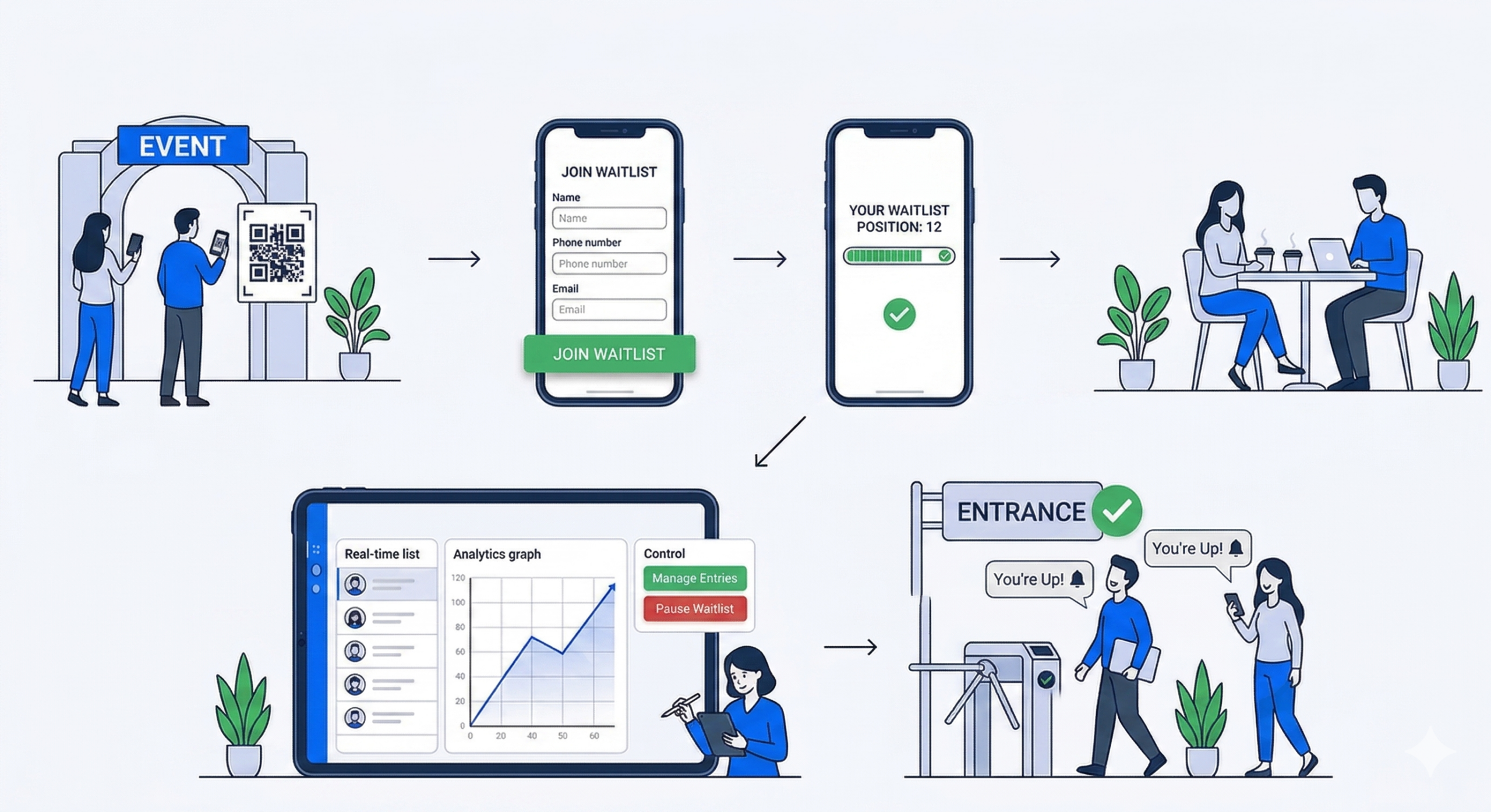
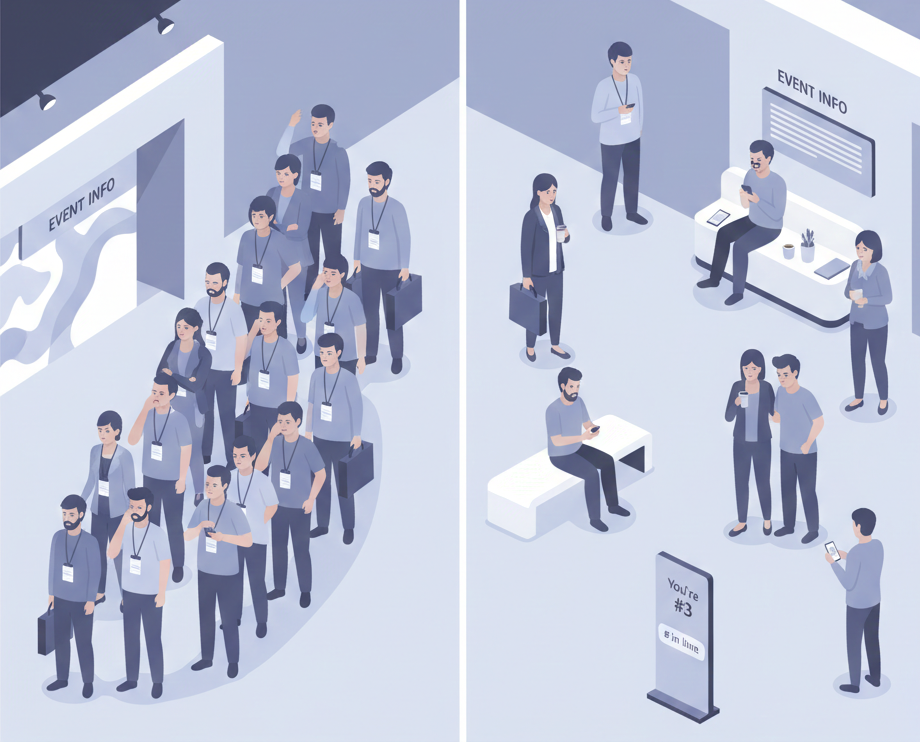
A virtual waitlist lets event attendees wait digitally instead of standing in a physical line.
Rather than forming a crowd, guests join a waitlist on their phone, receive updates about their place in line, and are text notified when it’s time to return. For live events, virtual waitlists are one of the most effective ways to manage demand without hurting the attendee experience.
This guide explains what a virtual waitlist is, how it works at in-person events, and when it’s the right solution.
What is a virtual waitlist?
A virtual waitlist is a digital system that shortens the amount of time attendees have to wait in physical lines with a mobile-based waiting experience.
Instead of standing in line, attendees:
- Join a queue via QR code, SMS, or web link
- Receive updates on their status and estimated wait time
- Are notified when it’s closer to their turn to enter
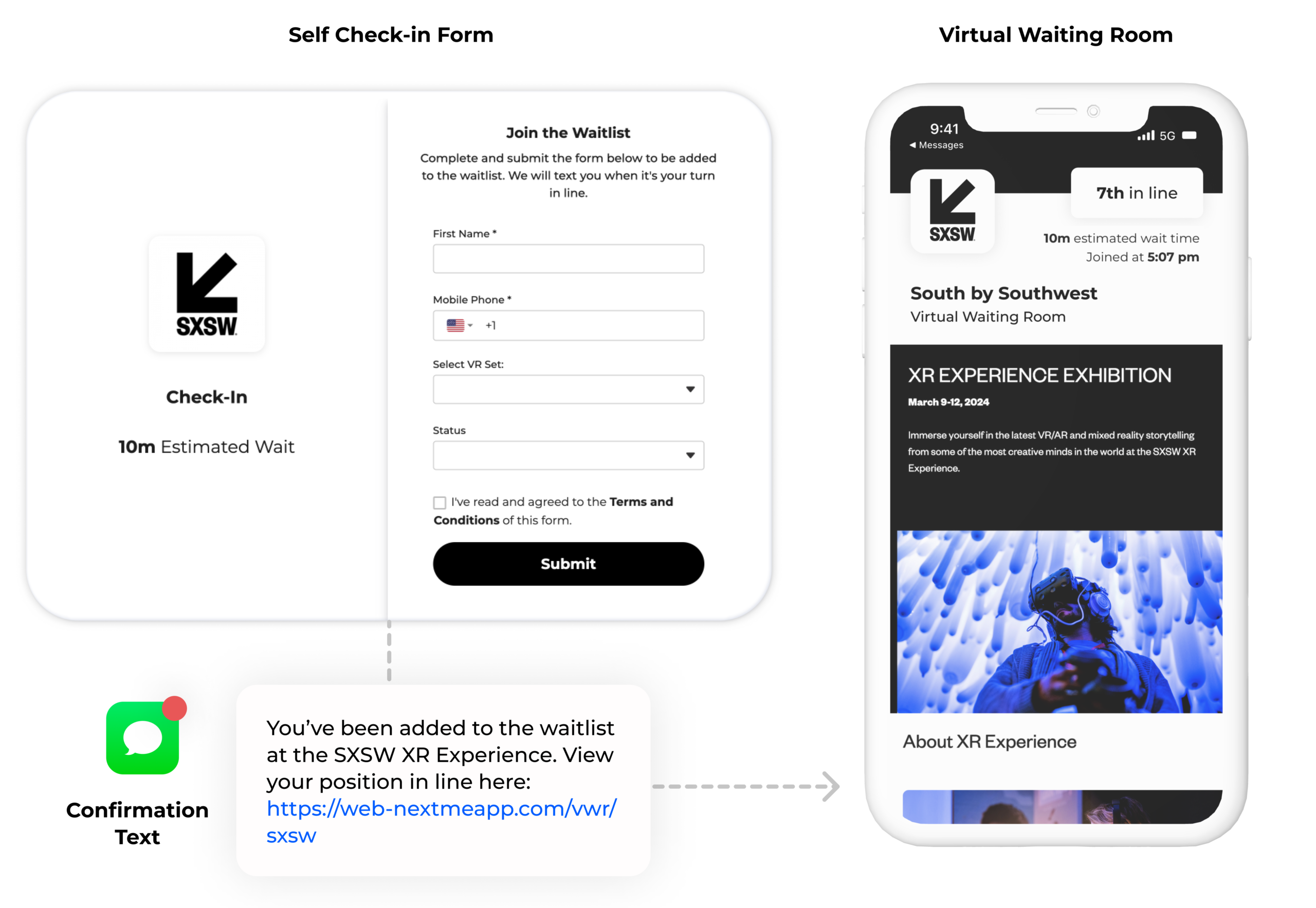
For organizers, a virtual waitlist provides real-time control over who enters an experience and when, without relying on physical queues.
This makes virtual waitlists especially effective for events with limited capacity or fluctuating demand.
How a virtual waitlist works at live events
Here’s what the attendee and organizer experience typically looks like:
Step 1: Attendees join the virtual waitlist
Guests scan a QR code or tap a link displayed near the experience. No app download is required.
Step 2: Attendees wait remotely
Instead of standing in line, guests are free to explore the event, attend sessions, or network.
Step 3: Organizers control throughput
Staff admit guests from the virtual waitlist at a pace that matches real capacity, adjusting in real time as conditions change.
Step 4: Attendees are notified
When it’s their turn, attendees receive a notification telling them when and where to return.
This flow separates waiting from standing, which is the key difference between virtual waitlists and traditional lines.
Virtual waitlists vs physical lines
| Factor | Physical lines | Virtual waitlists |
| Attendee experience | Frustrating, rigid | Flexible, self-directed |
| Crowd congestion | High | Minimal |
| Staff intervention | Constant | Minimal |
| Real-time adjustments | Difficult | Easy |
| Data visibility | None | Real-time |
Physical lines are static. Virtual waitlists are dynamic.
When virtual waitlists make the most sense
Virtual waitlists are ideal when:
- Demand exceeds capacity (even temporarily)
- Entry happens continuously, not once
- Walk-ups are allowed
- Space is limited
- Attendee experience matters
Common event use cases include:
- Conference booths and demos
- Brand activations
- VIP lounges
- Product drops and giveaways
- Sports and entertainment experiences
In these scenarios, a virtual waitlists reduces friction without reducing access.
Virtual waitlists vs timed entry tickets
Timed entry tickets assign attendees a fixed time slot. Virtual waitlists adjust entry dynamically based on live demand.
In general:
- Timed entry works best for predictable, scheduled access
- Virtual waitlists work best for live events with fluctuating demand
Virtual waitlists and event registration are not the same thing
Event registration tools handle:
- Pre-event signups
- Identity and access eligibility
Virtual waitlists handle:
- On-site demand
- Entry pacing
- Throughput control
Many events use both:
- Registration determines who can attend
- Virtual waitlists determine when they enter
Benefits of virtual queues for event teams
For organizers, virtual queues offer:
- Better crowd flow
- Fewer bottlenecks
- Less staff time spent managing lines
- Real-time insight into demand
- Happier attendees
For attendees, the benefit is simple: freedom.
Virtual waitlists and virtual queue software
At scale, virtual waitlists are typically powered by virtual queue software for events, which adds:
- Capacity controls
- Automated notifications
- Staff dashboards
- Analytics and reporting

Learn how these systems work in practice in our guide to virtual queue software for events.